


Highlights
Overview
Otaru/ Shakotan
Available Daily
Pick-up not available
What to expect
Packages
Packages
New Chitose Airport to Otaru
Total:
Price per Adult/Child :
Otaru to New Chitose Airport
Total:
Price per Adult/Child :
New Chitose Airport to Otaru
Overview
Schedule
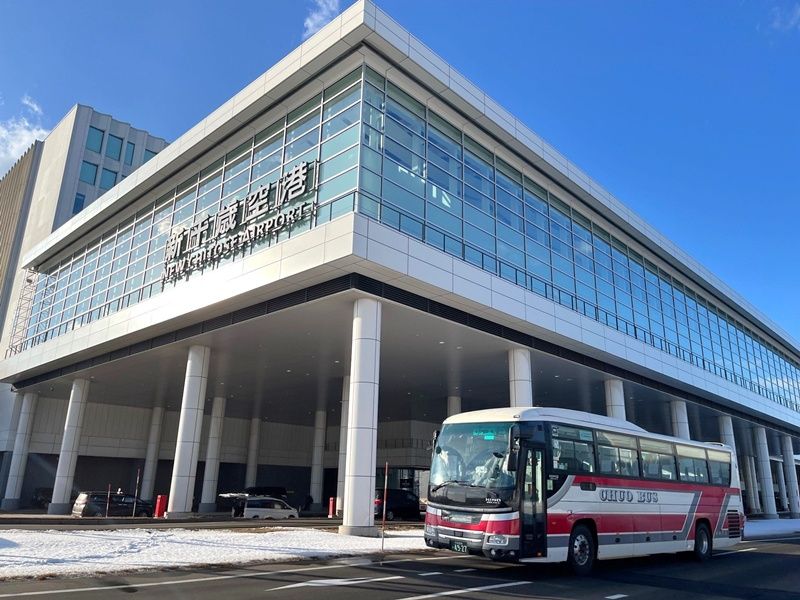
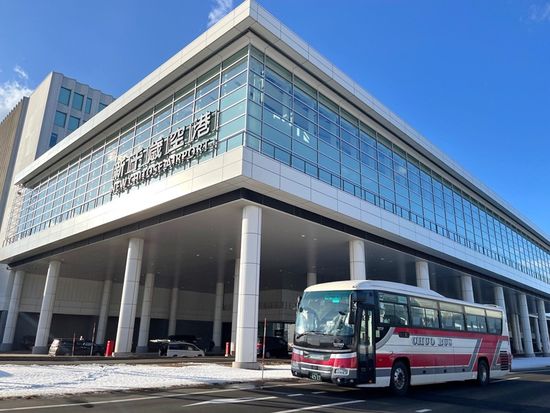
Please Proceed to the New Chitose Airport Bus Platform
・New Chitose Airport (in front of ANA), Bus Stop No. 20: Departs at 10:38
・New Chitose Airport (in front of JAL), Bus Stop No. 13: Departs at 10:40
・New Chitose Airport International Terminal, Bus Stop No. 84: Departs at 10:44
*Please arrive 5 minutes before departure.

Travel from New Chitose Airport to Otaru on a direct bus with no transfers. Enjoy reclining seats and free WiFi for a comfortable journey.
・Authent Hotel Otaru: Arrives at 12:01
・Otaru Canal Terminal: Arrives at 12:02
・Hotel Torifito Otaru Canal / OMO5 Otaru: Arrives at 12:03
・Otaru Green Hotel: Arrives at 12:05
・Otaru Station: Arrives at 12:08
Arrival at Each Drop-off Point
Location
Pick-up/Check-in Time & Location
Drop-off/Check-out Time & Location

Location
Start time :

10:33
- Platform 20, 13, or 84
Location, direction and description
-
Please check the timetable and platform maps here.
Location, direction and description
-
Please check the images of each bus stop here.
Start time :
Important activity information
Important activity information
Restrictions
- One child under 6 years old may ride for free per accompanying adult. (Reservations for infants only are not accepted.)
Other requirements
- When boarding, open the usage screen from the link sent to you at the time of purchase, press the “Use” button, and show the screen to a staff member (driver).
*Please ensure you have a stable network connection, as you will need to access the web page on your smartphone.
*Screenshots and printed copies cannot be accepted. - If you purchase multiple tickets in one transaction, they cannot be used separately, and all tickets will be activated simultaneously. To use the tickets individually, please purchase them separately.
- For security purposes, you may be required to authenticate using a one-time password (OTP). If prompted, please follow the steps below:
1. Enter the email address to receive the OTP and press the send button. - 2. Check that the OTP has been received by the email address set up in step 1. (The email containing the OTP will be sent from the domain “@linktivity.co.jp.” Please also check your spam folder just to be sure. If you can’t find it there, your email address may be incorrect. Open the URL for the usage screen from the voucher again and try again by entering your email address.)
- 3. Enter the OTP listed in the received email into the ticket screen and press the Confirm button. If you enter it correctly, the usage screen will be displayed. (Once OTP authentication is complete, the OTP will be sent to the email address you set. This email address cannot be changed, so please set an email address that can be confirmed locally on the day of use.)
Booking requirements (# of participants, vehicles, hours, etc.)
- You can book a maximum of 40.
Required items to bring & attire
- Booking confirmation (voucher)
Additional notes
- This activity does not accept any changes to confirmed bookings.
- [Voucher expiration period]
Valid only for the participation date specified - Please allow sufficient time when connecting to flights, as delays may occur due to weather or traffic conditions.
- In case of flight delays, the bus will still depart on time as scheduled. We appreciate your understanding.
- Smoking is strictly prohibited on board. Thank you for your cooperation.
- Please set mobile phones to silent mode and refrain from making calls on the bus.
- Seat belts must be worn while the bus is on the highway, in accordance with traffic safety regulations.
Otaru to New Chitose Airport
Overview
Schedule
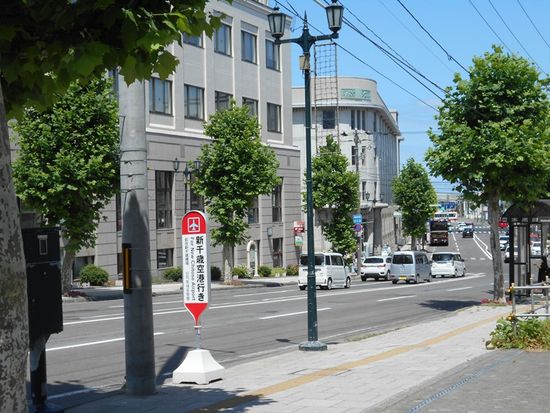
Please Proceed to the Otaru Bus Stops
・Otaru Station, Bus Stop No. 2: Departs at 6:00
・Otaru Green Hotel: Departs at 6:02
・Hotel Torifito Otaru Canal / OMO5 Otaru: Departs at 6:03
・Otaru Canal Terminal: Departs at 6:05
・Authent Hotel Otaru: Departs at 6:06
*Please arrive 5 minutes before departure.
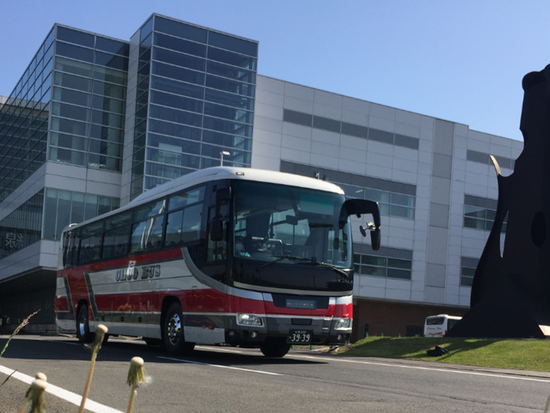
Travel from Otaru to New Chitose Airport on a direct bus with no transfers. Enjoy reclining seats and free WiFi for a comfortable journey.
Arrival at Each Drop-off Point
Location
Pick-up/Check-in Time & Location
Drop-off/Check-out Time & Location
Location
Start time :
05:55
Location, direction and description
-
Please check the timetable and platform maps here.
Start time :
Important activity information
Important activity information
Restrictions
- One child under 6 years old may ride for free per accompanying adult. (Reservations for infants only are not accepted.)
Other requirements
- When boarding, open the usage screen from the link sent to you at the time of purchase, press the “Use” button, and show the screen to a staff member (driver).
*Please ensure you have a stable network connection, as you will need to access the web page on your smartphone.
*Screenshots and printed copies cannot be accepted. - If you purchase multiple tickets in one transaction, they cannot be used separately, and all tickets will be activated simultaneously. To use the tickets individually, please purchase them separately.
- For security purposes, you may be required to authenticate using a one-time password (OTP). If prompted, please follow the steps below:
1. Enter the email address to receive the OTP and press the send button. - 2. Check that the OTP has been received by the email address set up in step 1. (The email containing the OTP will be sent from the domain “@linktivity.co.jp.” Please also check your spam folder just to be sure. If you can’t find it there, your email address may be incorrect. Open the URL for the usage screen from the voucher again and try again by entering your email address.)
- 3. Enter the OTP listed in the received email into the ticket screen and press the Confirm button. If you enter it correctly, the usage screen will be displayed. (Once OTP authentication is complete, the OTP will be sent to the email address you set. This email address cannot be changed, so please set an email address that can be confirmed locally on the day of use.)
Booking requirements (# of participants, vehicles, hours, etc.)
- You can book a maximum of 40.
Required items to bring & attire
- Booking confirmation (voucher)
Additional notes
- This activity does not accept any changes to confirmed bookings.
- [Voucher expiration period]
Valid only for the participation date specified - Please allow sufficient time when connecting to flights, as delays may occur due to weather or traffic conditions.
- In case of flight delays, the bus will still depart on time as scheduled. We appreciate your understanding.
- Smoking is strictly prohibited on board. Thank you for your cooperation.
- Please set mobile phones to silent mode and refrain from making calls on the bus.
- Seat belts must be worn while the bus is on the highway, in accordance with traffic safety regulations.
Activity Provider LINKTIVITY Inc.2
Activity Provider
FAQ
Payment / Cancellation Policy
Payment Methods
- Credit card payment
-
![]()

Cancellation Policy
- Up to 24 hours before departure: No cancellation fee
From 24 hours before departure until departure time: 50% cancellation fee
After departure time: Non-refundable
Change Policy
- No refunds after booking.
This activity does not allow changes to the booking details. To change the participation date, number of participants, or other details, please cancel your current booking and make a new reservation. A 100% cancellation fee will apply even for changes made through rebooking.
Operation days
- Everyday
Payment / Cancellation Policy
Payment Methods
- Credit card payment
![]()
Cancellation Policy
- Up to 24 hours before departure: No cancellation fee
From 24 hours before departure until departure time: 50% cancellation fee
After departure time: Non-refundable
Change Policy
- No refunds after booking.
This activity does not allow changes to the booking details. To change the participation date, number of participants, or other details, please cancel your current booking and make a new reservation. A 100% cancellation fee will apply even for changes made through rebooking.
Top-Rated Activities for Otaru/ Shakotan

















Editor's Picks for Otaru/ Shakotan
- One child under 6 years old may ride for free per accompanying adult. (Reservations for infants only are not accepted.)
- Booking confirmation (voucher)
- When boarding, open the usage screen from the link sent to you at the time of purchase, press the “Use” button, and show the screen to a staff member (driver).
*Please ensure you have a stable network connection, as you will need to access the web page on your smartphone.
*Screenshots and printed copies cannot be accepted. - If you purchase multiple tickets in one transaction, they cannot be used separately, and all tickets will be activated simultaneously. To use the tickets individually, please purchase them separately.
- For security purposes, you may be required to authenticate using a one-time password (OTP). If prompted, please follow the steps below:
1. Enter the email address to receive the OTP and press the send button. - 2. Check that the OTP has been received by the email address set up in step 1. (The email containing the OTP will be sent from the domain “@linktivity.co.jp.” Please also check your spam folder just to be sure. If you can’t find it there, your email address may be incorrect. Open the URL for the usage screen from the voucher again and try again by entering your email address.)
- 3. Enter the OTP listed in the received email into the ticket screen and press the Confirm button. If you enter it correctly, the usage screen will be displayed. (Once OTP authentication is complete, the OTP will be sent to the email address you set. This email address cannot be changed, so please set an email address that can be confirmed locally on the day of use.)
- This activity does not accept any changes to confirmed bookings.
- [Voucher expiration period]
Valid only for the participation date specified - Please allow sufficient time when connecting to flights, as delays may occur due to weather or traffic conditions.
- In case of flight delays, the bus will still depart on time as scheduled. We appreciate your understanding.
- Smoking is strictly prohibited on board. Thank you for your cooperation.
- Please set mobile phones to silent mode and refrain from making calls on the bus.
- Seat belts must be worn while the bus is on the highway, in accordance with traffic safety regulations.
- You can book a maximum of 40.
- One child under 6 years old may ride for free per accompanying adult. (Reservations for infants only are not accepted.)
- Booking confirmation (voucher)
- When boarding, open the usage screen from the link sent to you at the time of purchase, press the “Use” button, and show the screen to a staff member (driver).
*Please ensure you have a stable network connection, as you will need to access the web page on your smartphone.
*Screenshots and printed copies cannot be accepted. - If you purchase multiple tickets in one transaction, they cannot be used separately, and all tickets will be activated simultaneously. To use the tickets individually, please purchase them separately.
- For security purposes, you may be required to authenticate using a one-time password (OTP). If prompted, please follow the steps below:
1. Enter the email address to receive the OTP and press the send button. - 2. Check that the OTP has been received by the email address set up in step 1. (The email containing the OTP will be sent from the domain “@linktivity.co.jp.” Please also check your spam folder just to be sure. If you can’t find it there, your email address may be incorrect. Open the URL for the usage screen from the voucher again and try again by entering your email address.)
- 3. Enter the OTP listed in the received email into the ticket screen and press the Confirm button. If you enter it correctly, the usage screen will be displayed. (Once OTP authentication is complete, the OTP will be sent to the email address you set. This email address cannot be changed, so please set an email address that can be confirmed locally on the day of use.)
- This activity does not accept any changes to confirmed bookings.
- [Voucher expiration period]
Valid only for the participation date specified - Please allow sufficient time when connecting to flights, as delays may occur due to weather or traffic conditions.
- In case of flight delays, the bus will still depart on time as scheduled. We appreciate your understanding.
- Smoking is strictly prohibited on board. Thank you for your cooperation.
- Please set mobile phones to silent mode and refrain from making calls on the bus.
- Seat belts must be worn while the bus is on the highway, in accordance with traffic safety regulations.
- You can book a maximum of 40.
-
STEP 1Book one (1) select tour or activity
![]()
-
STEP 2Receive a coupon upon confirmation
![]()
- STEP 3Book another activity, and use the coupon for a discount!

Coupon Participation Period:
- Valid for one (1) booking per account during the designated promotional period.
- Cannot be used on the same activity on the same date and time as the first activity, or applied to activities that have already been booked.