


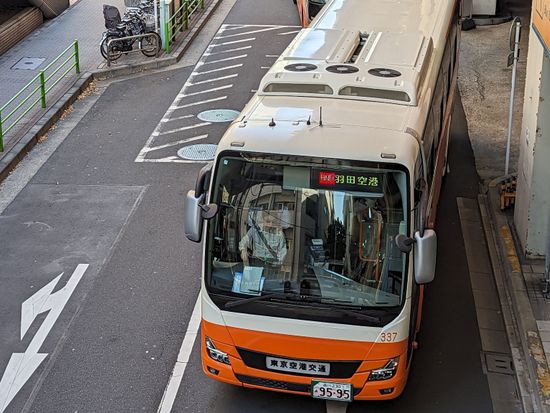
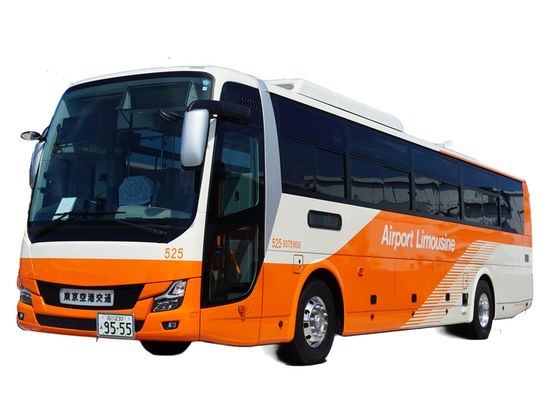
Highlights
Overview
Tokyo
Available Daily
Pick-up not available
What to expect
Packages
Packages
Shiba Area
Total:
Price per Adult :
Haneda Airport Area
Total:
Price per Adult :
YCAT (Yokohama City Air Terminal)
Total:
Price per Adult :
Disney Resort Area
Total:
Price per Adult :
Ikebukuro Area
Total:
Price per Adult :
Shibuya, Futakotamagawa area
Total:
Price per Adult :
Akasaka Area
Total:
Price per Adult :
Roppongi Area
Total:
Price per Adult :
Ebisu, Shinagawa area
Total:
Price per Adult :
Toyosu, Asakusa, Kinshicho area
Total:
Price per Adult :
TCAT (Tokyo City Air Terminal) Area
Total:
Price per Adult :
Takeshiba, Odaiba, Ariake area
Total:
Price per Adult :
Mejiro, Korakuen Area
Total:
Price per Adult :
Toranomon Area
Total:
Price per Adult :
Hibiya Area
Total:
Price per Adult :
Shinjuku Kabukicho Area
Total:
Price per Adult :
Ginza, Shiodome Area
Total:
Price per Adult :
Tokyo Station, Nihonbashi Area
Total:
Price per Adult :
Shinjuku Area
Total:
Price per Adult :
Shiba Area
[Arrival locations]
Tokyo Prince Hotel
The Prince Park Tower Tokyo
Overview
Before boarding, click the link provided with the voucher to reserve your preferred bus, and the QR code for boarding will be displayed.
*Please make sure to reserve your preferred bus at least one day before your boarding date, following the manual. Changes to your boarding time are possible up to 5 minutes before departure.
On the Day of Travel
Before the scheduled boarding time of your reserved bus, present the screen of your boarding pass (E-ticket) to the bus stop staff or the bus driver and board the bus.
*The QR boarding pass (E-ticket) can also be used as a screenshot.
If you are using a route with reserved seats, the QR boarding pass (E-ticket) will display the seat number.
You can store up to 2 pieces of luggage in the trunk room per person.
※Voucher Validity Period
" Valid for 3 months from the date of purchase"
*When canceling, please be sure to follow the cancellation procedure on the Veltra My Page.
Tokyo Station, Nihonbashi Area
Ginza, Shiodome Area
Shinjuku Kabukicho Area
Hibiya Area
Toranomon Area
Mejiro, Korakuen Area
Takeshiba, Odaiba, Ariake area
Shiba Area
Toyosu, Asakusa, Kinshicho area
Roppongi Area
Akasaka Area
Shibuya, Futakotamagawa area
Ikebukuro Area
Disney Resort Area
[Boarding locations]
Narita airport
Building 3: Platform 9
Building 2: Platform 17
Building 1: Platform 10
Ebisu, Shinagawa area
YCAT (Yokohama City Air Terminal)
[Boarding locations]
Narita airport
Building 3: Platform 7
Building 2: Platform 15
Building 1: Platform 12
[Boarding locations]
Narita Airport
Building 3: Platform 8
Building 2: Platform 16
Building 1: Platform 11
Please note that the bus stop schedule will change from 20:55 to 22:55.
Building 3: Platform 9
Building 2: Platform 17
Building 1: Platform 10
20:55-21:55 stop at TCAT, Shinjuku Station West Exit.
22:25-22:55 stop at TCAT, Shinjuku Station West Exit, Shinjuku Busta.
Important activity information
Important activity information
Restrictions
- Children aged 6 and under 12 who attend elementary school are eligible for child fares. Even if a child is 12 years old but still attends elementary school, they are still eligible for child fares. Preschoolers who are under the age of 6 and do not occupy a seat can travel for free. However, the child fare will be applied if a preschool child occupies a seat.
- This ticket is non-transferable and cannot be sold. Any attempt to resell this ticket will result in its invalidation.
- You can store up to 2 pieces of luggage per person in the trunk room.
Additional notes
- This activity does not accept any changes to confirmed bookings.
- 【Validity Period】
Valid for 3 months from the date of purchase - You can use WiFi on board the bus.
- In the event of a cancellation or vehicle change for your reserved bus, the staff will assist with transferring to another service or seat.
- When canceling, please be sure to follow the cancellation procedure on the Veltra My Page.
Required items to bring & attire
- 【Boarding Procedure on the Day of Travel】
Before the scheduled boarding time of your reserved bus, present the QR code for boarding (E-ticket) to the bus stop staff or the bus driver and board the bus.
*Display on a smartphone or tablet is mandatory, and the QR boarding pass can also be used as a screenshot.
*Please note that participation is not possible using the voucher or QR code that can be confirmed from the Veltra My Page. - *If you are using a route with reserved seats, the QR boarding pass (E-ticket) will display the seat number. For routes without reserved seating, the seat column on the QR boarding pass (E-ticket) will be blank, so please sit in any available seat.
- *For security purposes, a one-time password may be displayed when showing the E-ticket.
If email authentication is requested, please specify an email address that you can access on your smartphone or other device, and enter the password received in the email. - If you use the service after the selected participation date at the time of booking, you will not be able to check the voucher from your Veltra My Page.
Before the participation date, please tap "Scan or Click to Use" on the voucher, save the displayed digital ticket URL, and present the digital ticket from the URL on the day of use. - QR code for boarding (E-ticket).
- 【Separate bus reservation required】
Before boarding, click the link provided with the voucher to reserve your preferred bus, and the QR code for boarding will be displayed.
*For usage instructions, please refer to the attached PDF "Customer Usage Guide".
*The period for accepting boarding reservations is updated regularly. If the desired date and time are not yet available for reservation, please check again closer to the desired date and time (approximately 1 month in advance). Customer Usage Guide.pdf
Booking requirements (# of participants, vehicles, hours, etc.)
- You can book a maximum of 9.
Haneda Airport Area
[Arrival locations]
Haneda Airport Terminal 1
Haneda Airport Terminal 2
Haneda Airport Terminal 3
Overview
Before boarding, click the link provided with the voucher to reserve your preferred bus, and the QR code for boarding will be displayed.
*Please make sure to reserve your preferred bus at least one day before your boarding date, following the manual. Changes to your boarding time are possible up to 5 minutes before departure.
On the Day of Travel
Before the scheduled boarding time of your reserved bus, present the screen of your boarding pass (E-ticket) to the bus stop staff or the bus driver and board the bus.
*The QR boarding pass (E-ticket) can also be used as a screenshot.
If you are using a route with reserved seats, the QR boarding pass (E-ticket) will display the seat number.
You can store up to 2 pieces of luggage in the trunk room per person.
※Voucher Validity Period
" Valid for 3 months from the date of purchase"
*When canceling, please be sure to follow the cancellation procedure on the Veltra My Page.
Tokyo Station, Nihonbashi Area
Ginza, Shiodome Area
Shinjuku Kabukicho Area
Hibiya Area
Toranomon Area
Mejiro, Korakuen Area
Takeshiba, Odaiba, Ariake area
Shiba Area
Toyosu, Asakusa, Kinshicho area
Roppongi Area
Akasaka Area
Shibuya, Futakotamagawa area
Ikebukuro Area
Disney Resort Area
[Boarding locations]
Narita airport
Building 3: Platform 9
Building 2: Platform 17
Building 1: Platform 10
Ebisu, Shinagawa area
YCAT (Yokohama City Air Terminal)
[Boarding locations]
Narita airport
Building 3: Platform 7
Building 2: Platform 15
Building 1: Platform 12
[Boarding locations]
Narita Airport
Building 3: Platform 8
Building 2: Platform 16
Building 1: Platform 11
Please note that the bus stop schedule will change from 20:55 to 22:55.
Building 3: Platform 9
Building 2: Platform 17
Building 1: Platform 10
20:55-21:55 stop at TCAT, Shinjuku Station West Exit.
22:25-22:55 stop at TCAT, Shinjuku Station West Exit, Shinjuku Busta.
Important activity information
Important activity information
Restrictions
- Children aged 6 and under 12 who attend elementary school are eligible for child fares. Even if a child is 12 years old but still attends elementary school, they are still eligible for child fares. Preschoolers who are under the age of 6 and do not occupy a seat can travel for free. However, the child fare will be applied if a preschool child occupies a seat.
- This ticket is non-transferable and cannot be sold. Any attempt to resell this ticket will result in its invalidation.
- You can store up to 2 pieces of luggage per person in the trunk room.
Additional notes
- This activity does not accept any changes to confirmed bookings.
- 【Validity Period】
Valid for 3 months from the date of purchase - You can use WiFi on board the bus.
- In the event of a cancellation or vehicle change for your reserved bus, the staff will assist with transferring to another service or seat.
- When canceling, please be sure to follow the cancellation procedure on the Veltra My Page.
Required items to bring & attire
- 【Boarding Procedure on the Day of Travel】
Before the scheduled boarding time of your reserved bus, present the QR code for boarding (E-ticket) to the bus stop staff or the bus driver and board the bus.
*Display on a smartphone or tablet is mandatory, and the QR boarding pass can also be used as a screenshot.
*Please note that participation is not possible using the voucher or QR code that can be confirmed from the Veltra My Page. - *If you are using a route with reserved seats, the QR boarding pass (E-ticket) will display the seat number. For routes without reserved seating, the seat column on the QR boarding pass (E-ticket) will be blank, so please sit in any available seat.
- *For security purposes, a one-time password may be displayed when showing the E-ticket.
If email authentication is requested, please specify an email address that you can access on your smartphone or other device, and enter the password received in the email. - If you use the service after the selected participation date at the time of booking, you will not be able to check the voucher from your Veltra My Page.
Before the participation date, please tap "Scan or Click to Use" on the voucher, save the displayed digital ticket URL, and present the digital ticket from the URL on the day of use. - QR code for boarding (E-ticket).
- 【Separate bus reservation required】
Before boarding, click the link provided with the voucher to reserve your preferred bus, and the QR code for boarding will be displayed.
*For usage instructions, please refer to the attached PDF "Customer Usage Guide".
*The period for accepting boarding reservations is updated regularly. If the desired date and time are not yet available for reservation, please check again closer to the desired date and time (approximately 1 month in advance). Customer Usage Guide.pdf
Booking requirements (# of participants, vehicles, hours, etc.)
- You can book a maximum of 9.
YCAT (Yokohama City Air Terminal)
[Arrival location]
YCAT (Yokohama City Air Terminal)
Overview
Before boarding, click the link provided with the voucher to reserve your preferred bus, and the QR code for boarding will be displayed.
*Please make sure to reserve your preferred bus at least one day before your boarding date, following the manual. Changes to your boarding time are possible up to 5 minutes before departure.
On the Day of Travel
Before the scheduled boarding time of your reserved bus, present the screen of your boarding pass (E-ticket) to the bus stop staff or the bus driver and board the bus.
*The QR boarding pass (E-ticket) can also be used as a screenshot.
If you are using a route with reserved seats, the QR boarding pass (E-ticket) will display the seat number.
You can store up to 2 pieces of luggage in the trunk room per person.
※Voucher Validity Period
" Valid for 3 months from the date of purchase"
*When canceling, please be sure to follow the cancellation procedure on the Veltra My Page.
Tokyo Station, Nihonbashi Area
Ginza, Shiodome Area
Shinjuku Kabukicho Area
Hibiya Area
Toranomon Area
Mejiro, Korakuen Area
Takeshiba, Odaiba, Ariake area
Shiba Area
Toyosu, Asakusa, Kinshicho area
Roppongi Area
Akasaka Area
Shibuya, Futakotamagawa area
Ikebukuro Area
Disney Resort Area
[Boarding locations]
Narita airport
Building 3: Platform 9
Building 2: Platform 17
Building 1: Platform 10
Ebisu, Shinagawa area
YCAT (Yokohama City Air Terminal)
[Boarding locations]
Narita airport
Building 3: Platform 7
Building 2: Platform 15
Building 1: Platform 12
[Boarding locations]
Narita Airport
Building 3: Platform 8
Building 2: Platform 16
Building 1: Platform 11
Please note that the bus stop schedule will change from 20:55 to 22:55.
Building 3: Platform 9
Building 2: Platform 17
Building 1: Platform 10
20:55-21:55 stop at TCAT, Shinjuku Station West Exit.
22:25-22:55 stop at TCAT, Shinjuku Station West Exit, Shinjuku Busta.
Important activity information
Important activity information
Restrictions
- Children aged 6 and under 12 who attend elementary school are eligible for child fares. Even if a child is 12 years old but still attends elementary school, they are still eligible for child fares. Preschoolers who are under the age of 6 and do not occupy a seat can travel for free. However, the child fare will be applied if a preschool child occupies a seat.
- This ticket is non-transferable and cannot be sold. Any attempt to resell this ticket will result in its invalidation.
- You can store up to 2 pieces of luggage per person in the trunk room.
Additional notes
- This activity does not accept any changes to confirmed bookings.
- 【Validity Period】
Valid for 3 months from the date of purchase - You can use WiFi on board the bus.
- In the event of a cancellation or vehicle change for your reserved bus, the staff will assist with transferring to another service or seat.
- When canceling, please be sure to follow the cancellation procedure on the Veltra My Page.
Required items to bring & attire
- 【Boarding Procedure on the Day of Travel】
Before the scheduled boarding time of your reserved bus, present the QR code for boarding (E-ticket) to the bus stop staff or the bus driver and board the bus.
*Display on a smartphone or tablet is mandatory, and the QR boarding pass can also be used as a screenshot.
*Please note that participation is not possible using the voucher or QR code that can be confirmed from the Veltra My Page. - *If you are using a route with reserved seats, the QR boarding pass (E-ticket) will display the seat number. For routes without reserved seating, the seat column on the QR boarding pass (E-ticket) will be blank, so please sit in any available seat.
- *For security purposes, a one-time password may be displayed when showing the E-ticket.
If email authentication is requested, please specify an email address that you can access on your smartphone or other device, and enter the password received in the email. - If you use the service after the selected participation date at the time of booking, you will not be able to check the voucher from your Veltra My Page.
Before the participation date, please tap "Scan or Click to Use" on the voucher, save the displayed digital ticket URL, and present the digital ticket from the URL on the day of use. - QR code for boarding (E-ticket).
- 【Separate bus reservation required】
Before boarding, click the link provided with the voucher to reserve your preferred bus, and the QR code for boarding will be displayed.
*For usage instructions, please refer to the attached PDF "Customer Usage Guide".
*The period for accepting boarding reservations is updated regularly. If the desired date and time are not yet available for reservation, please check again closer to the desired date and time (approximately 1 month in advance). Customer Usage Guide.pdf
Booking requirements (# of participants, vehicles, hours, etc.)
- You can book a maximum of 9.
Disney Resort Area
[Arrival Locations]
Tokyo Disneyland
Tokyo DisneySea
Disney Ambassador Hotel
Tokyo DisneySea Hotel MiraCosta
Tokyo Disneyland Hotel
Tokyo Bay Maihama Hotel First Resort
Tokyo Bay Maihama Hotel
Grand Nikko Tokyo Bay Maihama
Sheraton Grande Tokyo Bay Hotel
Hotel Okura Tokyo Bay
Tokyo Disney Resort Toy Story Hotel
Hilton Tokyo Bay
Tokyo DisneySea Fantasy Springs Hotel
Overview
Before boarding, click the link provided with the voucher to reserve your preferred bus, and the QR code for boarding will be displayed.
*Please make sure to reserve your preferred bus at least one day before your boarding date, following the manual. Changes to your boarding time are possible up to 5 minutes before departure.
On the Day of Travel
Before the scheduled boarding time of your reserved bus, present the screen of your boarding pass (E-ticket) to the bus stop staff or the bus driver and board the bus.
*The QR boarding pass (E-ticket) can also be used as a screenshot.
If you are using a route with reserved seats, the QR boarding pass (E-ticket) will display the seat number.
You can store up to 2 pieces of luggage in the trunk room per person.
※Voucher Validity Period
" Valid for 3 months from the date of purchase"
*When canceling, please be sure to follow the cancellation procedure on the Veltra My Page.
Tokyo Station, Nihonbashi Area
Ginza, Shiodome Area
Shinjuku Kabukicho Area
Hibiya Area
Toranomon Area
Mejiro, Korakuen Area
Takeshiba, Odaiba, Ariake area
Shiba Area
Toyosu, Asakusa, Kinshicho area
Roppongi Area
Akasaka Area
Shibuya, Futakotamagawa area
Ikebukuro Area
Disney Resort Area
[Boarding locations]
Narita airport
Building 3: Platform 9
Building 2: Platform 17
Building 1: Platform 10
Ebisu, Shinagawa area
YCAT (Yokohama City Air Terminal)
[Boarding locations]
Narita airport
Building 3: Platform 7
Building 2: Platform 15
Building 1: Platform 12
[Boarding locations]
Narita Airport
Building 3: Platform 8
Building 2: Platform 16
Building 1: Platform 11
Please note that the bus stop schedule will change from 20:55 to 22:55.
Building 3: Platform 9
Building 2: Platform 17
Building 1: Platform 10
20:55-21:55 stop at TCAT, Shinjuku Station West Exit.
22:25-22:55 stop at TCAT, Shinjuku Station West Exit, Shinjuku Busta.
Important activity information
Important activity information
Restrictions
- Children aged 6 and under 12 who attend elementary school are eligible for child fares. Even if a child is 12 years old but still attends elementary school, they are still eligible for child fares. Preschoolers who are under the age of 6 and do not occupy a seat can travel for free. However, the child fare will be applied if a preschool child occupies a seat.
- This ticket is non-transferable and cannot be sold. Any attempt to resell this ticket will result in its invalidation.
- You can store up to 2 pieces of luggage per person in the trunk room.
Additional notes
- This activity does not accept any changes to confirmed bookings.
- 【Validity Period】
Valid for 3 months from the date of purchase - You can use WiFi on board the bus.
- In the event of a cancellation or vehicle change for your reserved bus, the staff will assist with transferring to another service or seat.
- When canceling, please be sure to follow the cancellation procedure on the Veltra My Page.
Required items to bring & attire
- 【Boarding Procedure on the Day of Travel】
Before the scheduled boarding time of your reserved bus, present the QR code for boarding (E-ticket) to the bus stop staff or the bus driver and board the bus.
*Display on a smartphone or tablet is mandatory, and the QR boarding pass can also be used as a screenshot.
*Please note that participation is not possible using the voucher or QR code that can be confirmed from the Veltra My Page. - *If you are using a route with reserved seats, the QR boarding pass (E-ticket) will display the seat number. For routes without reserved seating, the seat column on the QR boarding pass (E-ticket) will be blank, so please sit in any available seat.
- *For security purposes, a one-time password may be displayed when showing the E-ticket.
If email authentication is requested, please specify an email address that you can access on your smartphone or other device, and enter the password received in the email. - If you use the service after the selected participation date at the time of booking, you will not be able to check the voucher from your Veltra My Page.
Before the participation date, please tap "Scan or Click to Use" on the voucher, save the displayed digital ticket URL, and present the digital ticket from the URL on the day of use. - QR code for boarding (E-ticket).
- 【Separate bus reservation required】
Before boarding, click the link provided with the voucher to reserve your preferred bus, and the QR code for boarding will be displayed.
*For usage instructions, please refer to the attached PDF "Customer Usage Guide".
*The period for accepting boarding reservations is updated regularly. If the desired date and time are not yet available for reservation, please check again closer to the desired date and time (approximately 1 month in advance). Customer Usage Guide.pdf
Booking requirements (# of participants, vehicles, hours, etc.)
- You can book a maximum of 9.
Ikebukuro Area
[Arrival locations]
Ikebukuro Sunshine City Bus Terminal
Sunshine City Prince Hotel
Hotel Metropolitan
Overview
Before boarding, click the link provided with the voucher to reserve your preferred bus, and the QR code for boarding will be displayed.
*Please make sure to reserve your preferred bus at least one day before your boarding date, following the manual. Changes to your boarding time are possible up to 5 minutes before departure.
On the Day of Travel
Before the scheduled boarding time of your reserved bus, present the screen of your boarding pass (E-ticket) to the bus stop staff or the bus driver and board the bus.
*The QR boarding pass (E-ticket) can also be used as a screenshot.
If you are using a route with reserved seats, the QR boarding pass (E-ticket) will display the seat number.
You can store up to 2 pieces of luggage in the trunk room per person.
※Voucher Validity Period
" Valid for 3 months from the date of purchase"
*When canceling, please be sure to follow the cancellation procedure on the Veltra My Page.
Tokyo Station, Nihonbashi Area
Ginza, Shiodome Area
Shinjuku Kabukicho Area
Hibiya Area
Toranomon Area
Mejiro, Korakuen Area
Takeshiba, Odaiba, Ariake area
Shiba Area
Toyosu, Asakusa, Kinshicho area
Roppongi Area
Akasaka Area
Shibuya, Futakotamagawa area
Ikebukuro Area
Disney Resort Area
[Boarding locations]
Narita airport
Building 3: Platform 9
Building 2: Platform 17
Building 1: Platform 10
Ebisu, Shinagawa area
YCAT (Yokohama City Air Terminal)
[Boarding locations]
Narita airport
Building 3: Platform 7
Building 2: Platform 15
Building 1: Platform 12
[Boarding locations]
Narita Airport
Building 3: Platform 8
Building 2: Platform 16
Building 1: Platform 11
Please note that the bus stop schedule will change from 20:55 to 22:55.
Building 3: Platform 9
Building 2: Platform 17
Building 1: Platform 10
20:55-21:55 stop at TCAT, Shinjuku Station West Exit.
22:25-22:55 stop at TCAT, Shinjuku Station West Exit, Shinjuku Busta.
Important activity information
Important activity information
Restrictions
- Children aged 6 and under 12 who attend elementary school are eligible for child fares. Even if a child is 12 years old but still attends elementary school, they are still eligible for child fares. Preschoolers who are under the age of 6 and do not occupy a seat can travel for free. However, the child fare will be applied if a preschool child occupies a seat.
- This ticket is non-transferable and cannot be sold. Any attempt to resell this ticket will result in its invalidation.
- You can store up to 2 pieces of luggage per person in the trunk room.
Additional notes
- This activity does not accept any changes to confirmed bookings.
- 【Validity Period】
Valid for 3 months from the date of purchase - You can use WiFi on board the bus.
- In the event of a cancellation or vehicle change for your reserved bus, the staff will assist with transferring to another service or seat.
- When canceling, please be sure to follow the cancellation procedure on the Veltra My Page.
Required items to bring & attire
- 【Boarding Procedure on the Day of Travel】
Before the scheduled boarding time of your reserved bus, present the QR code for boarding (E-ticket) to the bus stop staff or the bus driver and board the bus.
*Display on a smartphone or tablet is mandatory, and the QR boarding pass can also be used as a screenshot.
*Please note that participation is not possible using the voucher or QR code that can be confirmed from the Veltra My Page. - *If you are using a route with reserved seats, the QR boarding pass (E-ticket) will display the seat number. For routes without reserved seating, the seat column on the QR boarding pass (E-ticket) will be blank, so please sit in any available seat.
- *For security purposes, a one-time password may be displayed when showing the E-ticket.
If email authentication is requested, please specify an email address that you can access on your smartphone or other device, and enter the password received in the email. - If you use the service after the selected participation date at the time of booking, you will not be able to check the voucher from your Veltra My Page.
Before the participation date, please tap "Scan or Click to Use" on the voucher, save the displayed digital ticket URL, and present the digital ticket from the URL on the day of use. - QR code for boarding (E-ticket).
- 【Separate bus reservation required】
Before boarding, click the link provided with the voucher to reserve your preferred bus, and the QR code for boarding will be displayed.
*For usage instructions, please refer to the attached PDF "Customer Usage Guide".
*The period for accepting boarding reservations is updated regularly. If the desired date and time are not yet available for reservation, please check again closer to the desired date and time (approximately 1 month in advance). Customer Usage Guide.pdf
Booking requirements (# of participants, vehicles, hours, etc.)
- You can book a maximum of 9.
Shibuya, Futakotamagawa area
[Arrival locations]
Shibuya Station (Shibuya Fukuras)
Shibuya Excel Hotel Tokyu
Cerulean Tower Tokyu Hotel
Overview
Before boarding, click the link provided with the voucher to reserve your preferred bus, and the QR code for boarding will be displayed.
*Please make sure to reserve your preferred bus at least one day before your boarding date, following the manual. Changes to your boarding time are possible up to 5 minutes before departure.
On the Day of Travel
Before the scheduled boarding time of your reserved bus, present the screen of your boarding pass (E-ticket) to the bus stop staff or the bus driver and board the bus.
*The QR boarding pass (E-ticket) can also be used as a screenshot.
If you are using a route with reserved seats, the QR boarding pass (E-ticket) will display the seat number.
You can store up to 2 pieces of luggage in the trunk room per person.
※Voucher Validity Period
" Valid for 3 months from the date of purchase"
*When canceling, please be sure to follow the cancellation procedure on the Veltra My Page.
Tokyo Station, Nihonbashi Area
Ginza, Shiodome Area
Shinjuku Kabukicho Area
Hibiya Area
Toranomon Area
Mejiro, Korakuen Area
Takeshiba, Odaiba, Ariake area
Shiba Area
Toyosu, Asakusa, Kinshicho area
Roppongi Area
Akasaka Area
Shibuya, Futakotamagawa area
Ikebukuro Area
Disney Resort Area
[Boarding locations]
Narita airport
Building 3: Platform 9
Building 2: Platform 17
Building 1: Platform 10
Ebisu, Shinagawa area
YCAT (Yokohama City Air Terminal)
[Boarding locations]
Narita airport
Building 3: Platform 7
Building 2: Platform 15
Building 1: Platform 12
[Boarding locations]
Narita Airport
Building 3: Platform 8
Building 2: Platform 16
Building 1: Platform 11
Please note that the bus stop schedule will change from 20:55 to 22:55.
Building 3: Platform 9
Building 2: Platform 17
Building 1: Platform 10
20:55-21:55 stop at TCAT, Shinjuku Station West Exit.
22:25-22:55 stop at TCAT, Shinjuku Station West Exit, Shinjuku Busta.
Important activity information
Important activity information
Restrictions
- Children aged 6 and under 12 who attend elementary school are eligible for child fares. Even if a child is 12 years old but still attends elementary school, they are still eligible for child fares. Preschoolers who are under the age of 6 and do not occupy a seat can travel for free. However, the child fare will be applied if a preschool child occupies a seat.
- This ticket is non-transferable and cannot be sold. Any attempt to resell this ticket will result in its invalidation.
- You can store up to 2 pieces of luggage per person in the trunk room.
Additional notes
- This activity does not accept any changes to confirmed bookings.
- 【Validity Period】
Valid for 3 months from the date of purchase - You can use WiFi on board the bus.
- In the event of a cancellation or vehicle change for your reserved bus, the staff will assist with transferring to another service or seat.
- When canceling, please be sure to follow the cancellation procedure on the Veltra My Page.
Required items to bring & attire
- 【Boarding Procedure on the Day of Travel】
Before the scheduled boarding time of your reserved bus, present the QR code for boarding (E-ticket) to the bus stop staff or the bus driver and board the bus.
*Display on a smartphone or tablet is mandatory, and the QR boarding pass can also be used as a screenshot.
*Please note that participation is not possible using the voucher or QR code that can be confirmed from the Veltra My Page. - *If you are using a route with reserved seats, the QR boarding pass (E-ticket) will display the seat number. For routes without reserved seating, the seat column on the QR boarding pass (E-ticket) will be blank, so please sit in any available seat.
- *For security purposes, a one-time password may be displayed when showing the E-ticket.
If email authentication is requested, please specify an email address that you can access on your smartphone or other device, and enter the password received in the email. - If you use the service after the selected participation date at the time of booking, you will not be able to check the voucher from your Veltra My Page.
Before the participation date, please tap "Scan or Click to Use" on the voucher, save the displayed digital ticket URL, and present the digital ticket from the URL on the day of use. - QR code for boarding (E-ticket).
- 【Separate bus reservation required】
Before boarding, click the link provided with the voucher to reserve your preferred bus, and the QR code for boarding will be displayed.
*For usage instructions, please refer to the attached PDF "Customer Usage Guide".
*The period for accepting boarding reservations is updated regularly. If the desired date and time are not yet available for reservation, please check again closer to the desired date and time (approximately 1 month in advance). Customer Usage Guide.pdf
Booking requirements (# of participants, vehicles, hours, etc.)
- You can book a maximum of 9.
Akasaka Area
[Arrival locations]
The Okura Tokyo
Tokyo Garden Terrace Kioicho
The Prince Gallery Tokyo Kioicho
Akasaka Mitsuke
The Capitol Hotel Tokyu
Hotel New Otani
ANA InterContinental Hotel Tokyo
Overview
Before boarding, click the link provided with the voucher to reserve your preferred bus, and the QR code for boarding will be displayed.
*Please make sure to reserve your preferred bus at least one day before your boarding date, following the manual. Changes to your boarding time are possible up to 5 minutes before departure.
On the Day of Travel
Before the scheduled boarding time of your reserved bus, present the screen of your boarding pass (E-ticket) to the bus stop staff or the bus driver and board the bus.
*The QR boarding pass (E-ticket) can also be used as a screenshot.
If you are using a route with reserved seats, the QR boarding pass (E-ticket) will display the seat number.
You can store up to 2 pieces of luggage in the trunk room per person.
※Voucher Validity Period
" Valid for 3 months from the date of purchase"
*When canceling, please be sure to follow the cancellation procedure on the Veltra My Page.
Tokyo Station, Nihonbashi Area
Ginza, Shiodome Area
Shinjuku Kabukicho Area
Hibiya Area
Toranomon Area
Mejiro, Korakuen Area
Takeshiba, Odaiba, Ariake area
Shiba Area
Toyosu, Asakusa, Kinshicho area
Roppongi Area
Akasaka Area
Shibuya, Futakotamagawa area
Ikebukuro Area
Disney Resort Area
[Boarding locations]
Narita airport
Building 3: Platform 9
Building 2: Platform 17
Building 1: Platform 10
Ebisu, Shinagawa area
YCAT (Yokohama City Air Terminal)
[Boarding locations]
Narita airport
Building 3: Platform 7
Building 2: Platform 15
Building 1: Platform 12
[Boarding locations]
Narita Airport
Building 3: Platform 8
Building 2: Platform 16
Building 1: Platform 11
Please note that the bus stop schedule will change from 20:55 to 22:55.
Building 3: Platform 9
Building 2: Platform 17
Building 1: Platform 10
20:55-21:55 stop at TCAT, Shinjuku Station West Exit.
22:25-22:55 stop at TCAT, Shinjuku Station West Exit, Shinjuku Busta.
Important activity information
Important activity information
Restrictions
- Children aged 6 and under 12 who attend elementary school are eligible for child fares. Even if a child is 12 years old but still attends elementary school, they are still eligible for child fares. Preschoolers who are under the age of 6 and do not occupy a seat can travel for free. However, the child fare will be applied if a preschool child occupies a seat.
- This ticket is non-transferable and cannot be sold. Any attempt to resell this ticket will result in its invalidation.
- You can store up to 2 pieces of luggage per person in the trunk room.
Additional notes
- This activity does not accept any changes to confirmed bookings.
- 【Validity Period】
Valid for 3 months from the date of purchase - You can use WiFi on board the bus.
- In the event of a cancellation or vehicle change for your reserved bus, the staff will assist with transferring to another service or seat.
- When canceling, please be sure to follow the cancellation procedure on the Veltra My Page.
Required items to bring & attire
- 【Boarding Procedure on the Day of Travel】
Before the scheduled boarding time of your reserved bus, present the QR code for boarding (E-ticket) to the bus stop staff or the bus driver and board the bus.
*Display on a smartphone or tablet is mandatory, and the QR boarding pass can also be used as a screenshot.
*Please note that participation is not possible using the voucher or QR code that can be confirmed from the Veltra My Page. - *If you are using a route with reserved seats, the QR boarding pass (E-ticket) will display the seat number. For routes without reserved seating, the seat column on the QR boarding pass (E-ticket) will be blank, so please sit in any available seat.
- *For security purposes, a one-time password may be displayed when showing the E-ticket.
If email authentication is requested, please specify an email address that you can access on your smartphone or other device, and enter the password received in the email. - If you use the service after the selected participation date at the time of booking, you will not be able to check the voucher from your Veltra My Page.
Before the participation date, please tap "Scan or Click to Use" on the voucher, save the displayed digital ticket URL, and present the digital ticket from the URL on the day of use. - QR code for boarding (E-ticket).
- 【Separate bus reservation required】
Before boarding, click the link provided with the voucher to reserve your preferred bus, and the QR code for boarding will be displayed.
*For usage instructions, please refer to the attached PDF "Customer Usage Guide".
*The period for accepting boarding reservations is updated regularly. If the desired date and time are not yet available for reservation, please check again closer to the desired date and time (approximately 1 month in advance). Customer Usage Guide.pdf
Booking requirements (# of participants, vehicles, hours, etc.)
- You can book a maximum of 9.
Roppongi Area
[Arrival location]
Grand Hyatt Tokyo
Overview
Before boarding, click the link provided with the voucher to reserve your preferred bus, and the QR code for boarding will be displayed.
*Please make sure to reserve your preferred bus at least one day before your boarding date, following the manual. Changes to your boarding time are possible up to 5 minutes before departure.
On the Day of Travel
Before the scheduled boarding time of your reserved bus, present the screen of your boarding pass (E-ticket) to the bus stop staff or the bus driver and board the bus.
*The QR boarding pass (E-ticket) can also be used as a screenshot.
If you are using a route with reserved seats, the QR boarding pass (E-ticket) will display the seat number.
You can store up to 2 pieces of luggage in the trunk room per person.
※Voucher Validity Period
" Valid for 3 months from the date of purchase"
*When canceling, please be sure to follow the cancellation procedure on the Veltra My Page.
Tokyo Station, Nihonbashi Area
Ginza, Shiodome Area
Shinjuku Kabukicho Area
Hibiya Area
Toranomon Area
Mejiro, Korakuen Area
Takeshiba, Odaiba, Ariake area
Shiba Area
Toyosu, Asakusa, Kinshicho area
Roppongi Area
Akasaka Area
Shibuya, Futakotamagawa area
Ikebukuro Area
Disney Resort Area
[Boarding locations]
Narita airport
Building 3: Platform 9
Building 2: Platform 17
Building 1: Platform 10
Ebisu, Shinagawa area
YCAT (Yokohama City Air Terminal)
[Boarding locations]
Narita airport
Building 3: Platform 7
Building 2: Platform 15
Building 1: Platform 12
[Boarding locations]
Narita Airport
Building 3: Platform 8
Building 2: Platform 16
Building 1: Platform 11
Please note that the bus stop schedule will change from 20:55 to 22:55.
Building 3: Platform 9
Building 2: Platform 17
Building 1: Platform 10
20:55-21:55 stop at TCAT, Shinjuku Station West Exit.
22:25-22:55 stop at TCAT, Shinjuku Station West Exit, Shinjuku Busta.
Important activity information
Important activity information
Restrictions
- Children aged 6 and under 12 who attend elementary school are eligible for child fares. Even if a child is 12 years old but still attends elementary school, they are still eligible for child fares. Preschoolers who are under the age of 6 and do not occupy a seat can travel for free. However, the child fare will be applied if a preschool child occupies a seat.
- This ticket is non-transferable and cannot be sold. Any attempt to resell this ticket will result in its invalidation.
- You can store up to 2 pieces of luggage per person in the trunk room.
Additional notes
- This activity does not accept any changes to confirmed bookings.
- 【Validity Period】
Valid for 3 months from the date of purchase - You can use WiFi on board the bus.
- In the event of a cancellation or vehicle change for your reserved bus, the staff will assist with transferring to another service or seat.
- When canceling, please be sure to follow the cancellation procedure on the Veltra My Page.
Required items to bring & attire
- 【Boarding Procedure on the Day of Travel】
Before the scheduled boarding time of your reserved bus, present the QR code for boarding (E-ticket) to the bus stop staff or the bus driver and board the bus.
*Display on a smartphone or tablet is mandatory, and the QR boarding pass can also be used as a screenshot.
*Please note that participation is not possible using the voucher or QR code that can be confirmed from the Veltra My Page. - *If you are using a route with reserved seats, the QR boarding pass (E-ticket) will display the seat number. For routes without reserved seating, the seat column on the QR boarding pass (E-ticket) will be blank, so please sit in any available seat.
- *For security purposes, a one-time password may be displayed when showing the E-ticket.
If email authentication is requested, please specify an email address that you can access on your smartphone or other device, and enter the password received in the email. - If you use the service after the selected participation date at the time of booking, you will not be able to check the voucher from your Veltra My Page.
Before the participation date, please tap "Scan or Click to Use" on the voucher, save the displayed digital ticket URL, and present the digital ticket from the URL on the day of use. - QR code for boarding (E-ticket).
- 【Separate bus reservation required】
Before boarding, click the link provided with the voucher to reserve your preferred bus, and the QR code for boarding will be displayed.
*For usage instructions, please refer to the attached PDF "Customer Usage Guide".
*The period for accepting boarding reservations is updated regularly. If the desired date and time are not yet available for reservation, please check again closer to the desired date and time (approximately 1 month in advance). Customer Usage Guide.pdf
Booking requirements (# of participants, vehicles, hours, etc.)
- You can book a maximum of 9.
Ebisu, Shinagawa area
[Arrival locations]
Tokyo Marriott Hotel
Sheraton Miyako Hotel
Grand Prince Hotel New Takanawa
The Prince Sakura Tower Tokyo
Grand Prince Hotel Takanawa
Westin Hotel Tokyo
New Sunno Hotel
Overview
Before boarding, click the link provided with the voucher to reserve your preferred bus, and the QR code for boarding will be displayed.
*Please make sure to reserve your preferred bus at least one day before your boarding date, following the manual. Changes to your boarding time are possible up to 5 minutes before departure.
On the Day of Travel
Before the scheduled boarding time of your reserved bus, present the screen of your boarding pass (E-ticket) to the bus stop staff or the bus driver and board the bus.
*The QR boarding pass (E-ticket) can also be used as a screenshot.
If you are using a route with reserved seats, the QR boarding pass (E-ticket) will display the seat number.
You can store up to 2 pieces of luggage in the trunk room per person.
※Voucher Validity Period
" Valid for 3 months from the date of purchase"
*When canceling, please be sure to follow the cancellation procedure on the Veltra My Page.
Tokyo Station, Nihonbashi Area
Ginza, Shiodome Area
Shinjuku Kabukicho Area
Hibiya Area
Toranomon Area
Mejiro, Korakuen Area
Takeshiba, Odaiba, Ariake area
Shiba Area
Toyosu, Asakusa, Kinshicho area
Roppongi Area
Akasaka Area
Shibuya, Futakotamagawa area
Ikebukuro Area
Disney Resort Area
[Boarding locations]
Narita airport
Building 3: Platform 9
Building 2: Platform 17
Building 1: Platform 10
Ebisu, Shinagawa area
YCAT (Yokohama City Air Terminal)
[Boarding locations]
Narita airport
Building 3: Platform 7
Building 2: Platform 15
Building 1: Platform 12
[Boarding locations]
Narita Airport
Building 3: Platform 8
Building 2: Platform 16
Building 1: Platform 11
Please note that the bus stop schedule will change from 20:55 to 22:55.
Building 3: Platform 9
Building 2: Platform 17
Building 1: Platform 10
20:55-21:55 stop at TCAT, Shinjuku Station West Exit.
22:25-22:55 stop at TCAT, Shinjuku Station West Exit, Shinjuku Busta.
Important activity information
Important activity information
Restrictions
- Children aged 6 and under 12 who attend elementary school are eligible for child fares. Even if a child is 12 years old but still attends elementary school, they are still eligible for child fares. Preschoolers who are under the age of 6 and do not occupy a seat can travel for free. However, the child fare will be applied if a preschool child occupies a seat.
- This ticket is non-transferable and cannot be sold. Any attempt to resell this ticket will result in its invalidation.
- You can store up to 2 pieces of luggage per person in the trunk room.
Additional notes
- This activity does not accept any changes to confirmed bookings.
- 【Validity Period】
Valid for 3 months from the date of purchase - You can use WiFi on board the bus.
- In the event of a cancellation or vehicle change for your reserved bus, the staff will assist with transferring to another service or seat.
- When canceling, please be sure to follow the cancellation procedure on the Veltra My Page.
Required items to bring & attire
- 【Boarding Procedure on the Day of Travel】
Before the scheduled boarding time of your reserved bus, present the QR code for boarding (E-ticket) to the bus stop staff or the bus driver and board the bus.
*Display on a smartphone or tablet is mandatory, and the QR boarding pass can also be used as a screenshot.
*Please note that participation is not possible using the voucher or QR code that can be confirmed from the Veltra My Page. - *If you are using a route with reserved seats, the QR boarding pass (E-ticket) will display the seat number. For routes without reserved seating, the seat column on the QR boarding pass (E-ticket) will be blank, so please sit in any available seat.
- *For security purposes, a one-time password may be displayed when showing the E-ticket.
If email authentication is requested, please specify an email address that you can access on your smartphone or other device, and enter the password received in the email. - If you use the service after the selected participation date at the time of booking, you will not be able to check the voucher from your Veltra My Page.
Before the participation date, please tap "Scan or Click to Use" on the voucher, save the displayed digital ticket URL, and present the digital ticket from the URL on the day of use. - QR code for boarding (E-ticket).
- 【Separate bus reservation required】
Before boarding, click the link provided with the voucher to reserve your preferred bus, and the QR code for boarding will be displayed.
*For usage instructions, please refer to the attached PDF "Customer Usage Guide".
*The period for accepting boarding reservations is updated regularly. If the desired date and time are not yet available for reservation, please check again closer to the desired date and time (approximately 1 month in advance). Customer Usage Guide.pdf
Booking requirements (# of participants, vehicles, hours, etc.)
- You can book a maximum of 9.
Toyosu, Asakusa, Kinshicho area
[Arrival locations]
Tobu Hotel Levant Tokyo
Toyosu Station
Asakusa View Hotel
Hotel East 21 Tokyo
Overview
Before boarding, click the link provided with the voucher to reserve your preferred bus, and the QR code for boarding will be displayed.
*Please make sure to reserve your preferred bus at least one day before your boarding date, following the manual. Changes to your boarding time are possible up to 5 minutes before departure.
On the Day of Travel
Before the scheduled boarding time of your reserved bus, present the screen of your boarding pass (E-ticket) to the bus stop staff or the bus driver and board the bus.
*The QR boarding pass (E-ticket) can also be used as a screenshot.
If you are using a route with reserved seats, the QR boarding pass (E-ticket) will display the seat number.
You can store up to 2 pieces of luggage in the trunk room per person.
※Voucher Validity Period
" Valid for 3 months from the date of purchase"
*When canceling, please be sure to follow the cancellation procedure on the Veltra My Page.
Tokyo Station, Nihonbashi Area
Ginza, Shiodome Area
Shinjuku Kabukicho Area
Hibiya Area
Toranomon Area
Mejiro, Korakuen Area
Takeshiba, Odaiba, Ariake area
Shiba Area
Toyosu, Asakusa, Kinshicho area
Roppongi Area
Akasaka Area
Shibuya, Futakotamagawa area
Ikebukuro Area
Disney Resort Area
[Boarding locations]
Narita airport
Building 3: Platform 9
Building 2: Platform 17
Building 1: Platform 10
Ebisu, Shinagawa area
YCAT (Yokohama City Air Terminal)
[Boarding locations]
Narita airport
Building 3: Platform 7
Building 2: Platform 15
Building 1: Platform 12
[Boarding locations]
Narita Airport
Building 3: Platform 8
Building 2: Platform 16
Building 1: Platform 11
Please note that the bus stop schedule will change from 20:55 to 22:55.
Building 3: Platform 9
Building 2: Platform 17
Building 1: Platform 10
20:55-21:55 stop at TCAT, Shinjuku Station West Exit.
22:25-22:55 stop at TCAT, Shinjuku Station West Exit, Shinjuku Busta.
Important activity information
Important activity information
Restrictions
- Children aged 6 and under 12 who attend elementary school are eligible for child fares. Even if a child is 12 years old but still attends elementary school, they are still eligible for child fares. Preschoolers who are under the age of 6 and do not occupy a seat can travel for free. However, the child fare will be applied if a preschool child occupies a seat.
- This ticket is non-transferable and cannot be sold. Any attempt to resell this ticket will result in its invalidation.
- You can store up to 2 pieces of luggage per person in the trunk room.
Additional notes
- This activity does not accept any changes to confirmed bookings.
- 【Validity Period】
Valid for 3 months from the date of purchase - You can use WiFi on board the bus.
- In the event of a cancellation or vehicle change for your reserved bus, the staff will assist with transferring to another service or seat.
- When canceling, please be sure to follow the cancellation procedure on the Veltra My Page.
Required items to bring & attire
- 【Boarding Procedure on the Day of Travel】
Before the scheduled boarding time of your reserved bus, present the QR code for boarding (E-ticket) to the bus stop staff or the bus driver and board the bus.
*Display on a smartphone or tablet is mandatory, and the QR boarding pass can also be used as a screenshot.
*Please note that participation is not possible using the voucher or QR code that can be confirmed from the Veltra My Page. - *If you are using a route with reserved seats, the QR boarding pass (E-ticket) will display the seat number. For routes without reserved seating, the seat column on the QR boarding pass (E-ticket) will be blank, so please sit in any available seat.
- *For security purposes, a one-time password may be displayed when showing the E-ticket.
If email authentication is requested, please specify an email address that you can access on your smartphone or other device, and enter the password received in the email. - If you use the service after the selected participation date at the time of booking, you will not be able to check the voucher from your Veltra My Page.
Before the participation date, please tap "Scan or Click to Use" on the voucher, save the displayed digital ticket URL, and present the digital ticket from the URL on the day of use. - QR code for boarding (E-ticket).
- 【Separate bus reservation required】
Before boarding, click the link provided with the voucher to reserve your preferred bus, and the QR code for boarding will be displayed.
*For usage instructions, please refer to the attached PDF "Customer Usage Guide".
*The period for accepting boarding reservations is updated regularly. If the desired date and time are not yet available for reservation, please check again closer to the desired date and time (approximately 1 month in advance). Customer Usage Guide.pdf
Booking requirements (# of participants, vehicles, hours, etc.)
- You can book a maximum of 9.
TCAT (Tokyo City Air Terminal) Area
[Arrival location]
Tokyo City Air Terminal
Overview
Before boarding, click the link provided with the voucher to reserve your preferred bus, and the QR code for boarding will be displayed.
*Please make sure to reserve your preferred bus at least one day before your boarding date, following the manual. Changes to your boarding time are possible up to 5 minutes before departure.
On the Day of Travel
Before the scheduled boarding time of your reserved bus, present the screen of your boarding pass (E-ticket) to the bus stop staff or the bus driver and board the bus.
*The QR boarding pass (E-ticket) can also be used as a screenshot.
If you are using a route with reserved seats, the QR boarding pass (E-ticket) will display the seat number.
You can store up to 2 pieces of luggage in the trunk room per person.
※Voucher Validity Period
" Valid for 3 months from the date of purchase"
*When canceling, please be sure to follow the cancellation procedure on the Veltra My Page.
Tokyo Station, Nihonbashi Area
Ginza, Shiodome Area
Shinjuku Kabukicho Area
Hibiya Area
Toranomon Area
Mejiro, Korakuen Area
Takeshiba, Odaiba, Ariake area
Shiba Area
Toyosu, Asakusa, Kinshicho area
Roppongi Area
Akasaka Area
Shibuya, Futakotamagawa area
Ikebukuro Area
Disney Resort Area
[Boarding locations]
Narita airport
Building 3: Platform 9
Building 2: Platform 17
Building 1: Platform 10
Ebisu, Shinagawa area
YCAT (Yokohama City Air Terminal)
[Boarding locations]
Narita airport
Building 3: Platform 7
Building 2: Platform 15
Building 1: Platform 12
[Boarding locations]
Narita Airport
Building 3: Platform 8
Building 2: Platform 16
Building 1: Platform 11
Please note that the bus stop schedule will change from 20:55 to 22:55.
Building 3: Platform 9
Building 2: Platform 17
Building 1: Platform 10
20:55-21:55 stop at TCAT, Shinjuku Station West Exit.
22:25-22:55 stop at TCAT, Shinjuku Station West Exit, Shinjuku Busta.
Important activity information
Important activity information
Restrictions
- Children aged 6 and under 12 who attend elementary school are eligible for child fares. Even if a child is 12 years old but still attends elementary school, they are still eligible for child fares. Preschoolers who are under the age of 6 and do not occupy a seat can travel for free. However, the child fare will be applied if a preschool child occupies a seat.
- This ticket is non-transferable and cannot be sold. Any attempt to resell this ticket will result in its invalidation.
- You can store up to 2 pieces of luggage per person in the trunk room.
Additional notes
- This activity does not accept any changes to confirmed bookings.
- 【Validity Period】
Valid for 3 months from the date of purchase - You can use WiFi on board the bus.
- In the event of a cancellation or vehicle change for your reserved bus, the staff will assist with transferring to another service or seat.
- When canceling, please be sure to follow the cancellation procedure on the Veltra My Page.
Required items to bring & attire
- 【Boarding Procedure on the Day of Travel】
Before the scheduled boarding time of your reserved bus, present the QR code for boarding (E-ticket) to the bus stop staff or the bus driver and board the bus.
*Display on a smartphone or tablet is mandatory, and the QR boarding pass can also be used as a screenshot.
*Please note that participation is not possible using the voucher or QR code that can be confirmed from the Veltra My Page. - *If you are using a route with reserved seats, the QR boarding pass (E-ticket) will display the seat number. For routes without reserved seating, the seat column on the QR boarding pass (E-ticket) will be blank, so please sit in any available seat.
- *For security purposes, a one-time password may be displayed when showing the E-ticket.
If email authentication is requested, please specify an email address that you can access on your smartphone or other device, and enter the password received in the email. - If you use the service after the selected participation date at the time of booking, you will not be able to check the voucher from your Veltra My Page.
Before the participation date, please tap "Scan or Click to Use" on the voucher, save the displayed digital ticket URL, and present the digital ticket from the URL on the day of use. - QR code for boarding (E-ticket).
- 【Separate bus reservation required】
Before boarding, click the link provided with the voucher to reserve your preferred bus, and the QR code for boarding will be displayed.
*For usage instructions, please refer to the attached PDF "Customer Usage Guide".
*The period for accepting boarding reservations is updated regularly. If the desired date and time are not yet available for reservation, please check again closer to the desired date and time (approximately 1 month in advance). Customer Usage Guide.pdf
Booking requirements (# of participants, vehicles, hours, etc.)
- You can book a maximum of 9.
Takeshiba, Odaiba, Ariake area
[Arrival locations]
Hilton Tokyo Odaiba
Grand Nikko Tokyo Daiba
Tokyo Bay Ariake Washington Hotel
Sotetsu Grand Fresa Tokyo Bay Ariake
Overview
Before boarding, click the link provided with the voucher to reserve your preferred bus, and the QR code for boarding will be displayed.
*Please make sure to reserve your preferred bus at least one day before your boarding date, following the manual. Changes to your boarding time are possible up to 5 minutes before departure.
On the Day of Travel
Before the scheduled boarding time of your reserved bus, present the screen of your boarding pass (E-ticket) to the bus stop staff or the bus driver and board the bus.
*The QR boarding pass (E-ticket) can also be used as a screenshot.
If you are using a route with reserved seats, the QR boarding pass (E-ticket) will display the seat number.
You can store up to 2 pieces of luggage in the trunk room per person.
※Voucher Validity Period
" Valid for 3 months from the date of purchase"
*When canceling, please be sure to follow the cancellation procedure on the Veltra My Page.
Tokyo Station, Nihonbashi Area
Ginza, Shiodome Area
Shinjuku Kabukicho Area
Hibiya Area
Toranomon Area
Mejiro, Korakuen Area
Takeshiba, Odaiba, Ariake area
Shiba Area
Toyosu, Asakusa, Kinshicho area
Roppongi Area
Akasaka Area
Shibuya, Futakotamagawa area
Ikebukuro Area
Disney Resort Area
[Boarding locations]
Narita airport
Building 3: Platform 9
Building 2: Platform 17
Building 1: Platform 10
Ebisu, Shinagawa area
YCAT (Yokohama City Air Terminal)
[Boarding locations]
Narita airport
Building 3: Platform 7
Building 2: Platform 15
Building 1: Platform 12
[Boarding locations]
Narita Airport
Building 3: Platform 8
Building 2: Platform 16
Building 1: Platform 11
Please note that the bus stop schedule will change from 20:55 to 22:55.
Building 3: Platform 9
Building 2: Platform 17
Building 1: Platform 10
20:55-21:55 stop at TCAT, Shinjuku Station West Exit.
22:25-22:55 stop at TCAT, Shinjuku Station West Exit, Shinjuku Busta.
Important activity information
Important activity information
Restrictions
- Children aged 6 and under 12 who attend elementary school are eligible for child fares. Even if a child is 12 years old but still attends elementary school, they are still eligible for child fares. Preschoolers who are under the age of 6 and do not occupy a seat can travel for free. However, the child fare will be applied if a preschool child occupies a seat.
- This ticket is non-transferable and cannot be sold. Any attempt to resell this ticket will result in its invalidation.
- You can store up to 2 pieces of luggage per person in the trunk room.
Additional notes
- This activity does not accept any changes to confirmed bookings.
- 【Validity Period】
Valid for 3 months from the date of purchase - You can use WiFi on board the bus.
- In the event of a cancellation or vehicle change for your reserved bus, the staff will assist with transferring to another service or seat.
- When canceling, please be sure to follow the cancellation procedure on the Veltra My Page.
Required items to bring & attire
- 【Boarding Procedure on the Day of Travel】
Before the scheduled boarding time of your reserved bus, present the QR code for boarding (E-ticket) to the bus stop staff or the bus driver and board the bus.
*Display on a smartphone or tablet is mandatory, and the QR boarding pass can also be used as a screenshot.
*Please note that participation is not possible using the voucher or QR code that can be confirmed from the Veltra My Page. - *If you are using a route with reserved seats, the QR boarding pass (E-ticket) will display the seat number. For routes without reserved seating, the seat column on the QR boarding pass (E-ticket) will be blank, so please sit in any available seat.
- *For security purposes, a one-time password may be displayed when showing the E-ticket.
If email authentication is requested, please specify an email address that you can access on your smartphone or other device, and enter the password received in the email. - If you use the service after the selected participation date at the time of booking, you will not be able to check the voucher from your Veltra My Page.
Before the participation date, please tap "Scan or Click to Use" on the voucher, save the displayed digital ticket URL, and present the digital ticket from the URL on the day of use. - QR code for boarding (E-ticket).
- 【Separate bus reservation required】
Before boarding, click the link provided with the voucher to reserve your preferred bus, and the QR code for boarding will be displayed.
*For usage instructions, please refer to the attached PDF "Customer Usage Guide".
*The period for accepting boarding reservations is updated regularly. If the desired date and time are not yet available for reservation, please check again closer to the desired date and time (approximately 1 month in advance). Customer Usage Guide.pdf
Booking requirements (# of participants, vehicles, hours, etc.)
- You can book a maximum of 9.
Mejiro, Korakuen Area
[Arrival locations]
Tokyo Dome Hotel
Hotel Chinzanso Tokyo
Overview
Before boarding, click the link provided with the voucher to reserve your preferred bus, and the QR code for boarding will be displayed.
*Please make sure to reserve your preferred bus at least one day before your boarding date, following the manual. Changes to your boarding time are possible up to 5 minutes before departure.
On the Day of Travel
Before the scheduled boarding time of your reserved bus, present the screen of your boarding pass (E-ticket) to the bus stop staff or the bus driver and board the bus.
*The QR boarding pass (E-ticket) can also be used as a screenshot.
If you are using a route with reserved seats, the QR boarding pass (E-ticket) will display the seat number.
You can store up to 2 pieces of luggage in the trunk room per person.
※Voucher Validity Period
" Valid for 3 months from the date of purchase"
*When canceling, please be sure to follow the cancellation procedure on the Veltra My Page.
Tokyo Station, Nihonbashi Area
Ginza, Shiodome Area
Shinjuku Kabukicho Area
Hibiya Area
Toranomon Area
Mejiro, Korakuen Area
Takeshiba, Odaiba, Ariake area
Shiba Area
Toyosu, Asakusa, Kinshicho area
Roppongi Area
Akasaka Area
Shibuya, Futakotamagawa area
Ikebukuro Area
Disney Resort Area
[Boarding locations]
Narita airport
Building 3: Platform 9
Building 2: Platform 17
Building 1: Platform 10
Ebisu, Shinagawa area
YCAT (Yokohama City Air Terminal)
[Boarding locations]
Narita airport
Building 3: Platform 7
Building 2: Platform 15
Building 1: Platform 12
[Boarding locations]
Narita Airport
Building 3: Platform 8
Building 2: Platform 16
Building 1: Platform 11
Please note that the bus stop schedule will change from 20:55 to 22:55.
Building 3: Platform 9
Building 2: Platform 17
Building 1: Platform 10
20:55-21:55 stop at TCAT, Shinjuku Station West Exit.
22:25-22:55 stop at TCAT, Shinjuku Station West Exit, Shinjuku Busta.
Important activity information
Important activity information
Restrictions
- Children aged 6 and under 12 who attend elementary school are eligible for child fares. Even if a child is 12 years old but still attends elementary school, they are still eligible for child fares. Preschoolers who are under the age of 6 and do not occupy a seat can travel for free. However, the child fare will be applied if a preschool child occupies a seat.
- This ticket is non-transferable and cannot be sold. Any attempt to resell this ticket will result in its invalidation.
- You can store up to 2 pieces of luggage per person in the trunk room.
Additional notes
- This activity does not accept any changes to confirmed bookings.
- 【Validity Period】
Valid for 3 months from the date of purchase - You can use WiFi on board the bus.
- In the event of a cancellation or vehicle change for your reserved bus, the staff will assist with transferring to another service or seat.
- When canceling, please be sure to follow the cancellation procedure on the Veltra My Page.
Required items to bring & attire
- 【Boarding Procedure on the Day of Travel】
Before the scheduled boarding time of your reserved bus, present the QR code for boarding (E-ticket) to the bus stop staff or the bus driver and board the bus.
*Display on a smartphone or tablet is mandatory, and the QR boarding pass can also be used as a screenshot.
*Please note that participation is not possible using the voucher or QR code that can be confirmed from the Veltra My Page. - *If you are using a route with reserved seats, the QR boarding pass (E-ticket) will display the seat number. For routes without reserved seating, the seat column on the QR boarding pass (E-ticket) will be blank, so please sit in any available seat.
- *For security purposes, a one-time password may be displayed when showing the E-ticket.
If email authentication is requested, please specify an email address that you can access on your smartphone or other device, and enter the password received in the email. - If you use the service after the selected participation date at the time of booking, you will not be able to check the voucher from your Veltra My Page.
Before the participation date, please tap "Scan or Click to Use" on the voucher, save the displayed digital ticket URL, and present the digital ticket from the URL on the day of use. - QR code for boarding (E-ticket).
- 【Separate bus reservation required】
Before boarding, click the link provided with the voucher to reserve your preferred bus, and the QR code for boarding will be displayed.
*For usage instructions, please refer to the attached PDF "Customer Usage Guide".
*The period for accepting boarding reservations is updated regularly. If the desired date and time are not yet available for reservation, please check again closer to the desired date and time (approximately 1 month in advance). Customer Usage Guide.pdf
Booking requirements (# of participants, vehicles, hours, etc.)
- You can book a maximum of 9.
Toranomon Area
[Arrival location]
Andaz Tokyo
Overview
Before boarding, click the link provided with the voucher to reserve your preferred bus, and the QR code for boarding will be displayed.
*Please make sure to reserve your preferred bus at least one day before your boarding date, following the manual. Changes to your boarding time are possible up to 5 minutes before departure.
On the Day of Travel
Before the scheduled boarding time of your reserved bus, present the screen of your boarding pass (E-ticket) to the bus stop staff or the bus driver and board the bus.
*The QR boarding pass (E-ticket) can also be used as a screenshot.
If you are using a route with reserved seats, the QR boarding pass (E-ticket) will display the seat number.
You can store up to 2 pieces of luggage in the trunk room per person.
※Voucher Validity Period
" Valid for 3 months from the date of purchase"
*When canceling, please be sure to follow the cancellation procedure on the Veltra My Page.
Tokyo Station, Nihonbashi Area
Ginza, Shiodome Area
Shinjuku Kabukicho Area
Hibiya Area
Toranomon Area
Mejiro, Korakuen Area
Takeshiba, Odaiba, Ariake area
Shiba Area
Toyosu, Asakusa, Kinshicho area
Roppongi Area
Akasaka Area
Shibuya, Futakotamagawa area
Ikebukuro Area
Disney Resort Area
[Boarding locations]
Narita airport
Building 3: Platform 9
Building 2: Platform 17
Building 1: Platform 10
Ebisu, Shinagawa area
YCAT (Yokohama City Air Terminal)
[Boarding locations]
Narita airport
Building 3: Platform 7
Building 2: Platform 15
Building 1: Platform 12
[Boarding locations]
Narita Airport
Building 3: Platform 8
Building 2: Platform 16
Building 1: Platform 11
Please note that the bus stop schedule will change from 20:55 to 22:55.
Building 3: Platform 9
Building 2: Platform 17
Building 1: Platform 10
20:55-21:55 stop at TCAT, Shinjuku Station West Exit.
22:25-22:55 stop at TCAT, Shinjuku Station West Exit, Shinjuku Busta.
Important activity information
Important activity information
Restrictions
- Children aged 6 and under 12 who attend elementary school are eligible for child fares. Even if a child is 12 years old but still attends elementary school, they are still eligible for child fares. Preschoolers who are under the age of 6 and do not occupy a seat can travel for free. However, the child fare will be applied if a preschool child occupies a seat.
- This ticket is non-transferable and cannot be sold. Any attempt to resell this ticket will result in its invalidation.
- You can store up to 2 pieces of luggage per person in the trunk room.
Additional notes
- This activity does not accept any changes to confirmed bookings.
- 【Validity Period】
Valid for 3 months from the date of purchase - You can use WiFi on board the bus.
- In the event of a cancellation or vehicle change for your reserved bus, the staff will assist with transferring to another service or seat.
- When canceling, please be sure to follow the cancellation procedure on the Veltra My Page.
Required items to bring & attire
- 【Boarding Procedure on the Day of Travel】
Before the scheduled boarding time of your reserved bus, present the QR code for boarding (E-ticket) to the bus stop staff or the bus driver and board the bus.
*Display on a smartphone or tablet is mandatory, and the QR boarding pass can also be used as a screenshot.
*Please note that participation is not possible using the voucher or QR code that can be confirmed from the Veltra My Page. - *If you are using a route with reserved seats, the QR boarding pass (E-ticket) will display the seat number. For routes without reserved seating, the seat column on the QR boarding pass (E-ticket) will be blank, so please sit in any available seat.
- *For security purposes, a one-time password may be displayed when showing the E-ticket.
If email authentication is requested, please specify an email address that you can access on your smartphone or other device, and enter the password received in the email. - If you use the service after the selected participation date at the time of booking, you will not be able to check the voucher from your Veltra My Page.
Before the participation date, please tap "Scan or Click to Use" on the voucher, save the displayed digital ticket URL, and present the digital ticket from the URL on the day of use. - QR code for boarding (E-ticket).
- 【Separate bus reservation required】
Before boarding, click the link provided with the voucher to reserve your preferred bus, and the QR code for boarding will be displayed.
*For usage instructions, please refer to the attached PDF "Customer Usage Guide".
*The period for accepting boarding reservations is updated regularly. If the desired date and time are not yet available for reservation, please check again closer to the desired date and time (approximately 1 month in advance). Customer Usage Guide.pdf
Booking requirements (# of participants, vehicles, hours, etc.)
- You can book a maximum of 9.
Hibiya Area
[Arrival locations]
Daiichi Hotel Tokyo
Imperial Hotel
Overview
Before boarding, click the link provided with the voucher to reserve your preferred bus, and the QR code for boarding will be displayed.
*Please make sure to reserve your preferred bus at least one day before your boarding date, following the manual. Changes to your boarding time are possible up to 5 minutes before departure.
On the Day of Travel
Before the scheduled boarding time of your reserved bus, present the screen of your boarding pass (E-ticket) to the bus stop staff or the bus driver and board the bus.
*The QR boarding pass (E-ticket) can also be used as a screenshot.
If you are using a route with reserved seats, the QR boarding pass (E-ticket) will display the seat number.
You can store up to 2 pieces of luggage in the trunk room per person.
※Voucher Validity Period
" Valid for 3 months from the date of purchase"
*When canceling, please be sure to follow the cancellation procedure on the Veltra My Page.
Tokyo Station, Nihonbashi Area
Ginza, Shiodome Area
Shinjuku Kabukicho Area
Hibiya Area
Toranomon Area
Mejiro, Korakuen Area
Takeshiba, Odaiba, Ariake area
Shiba Area
Toyosu, Asakusa, Kinshicho area
Roppongi Area
Akasaka Area
Shibuya, Futakotamagawa area
Ikebukuro Area
Disney Resort Area
[Boarding locations]
Narita airport
Building 3: Platform 9
Building 2: Platform 17
Building 1: Platform 10
Ebisu, Shinagawa area
YCAT (Yokohama City Air Terminal)
[Boarding locations]
Narita airport
Building 3: Platform 7
Building 2: Platform 15
Building 1: Platform 12
[Boarding locations]
Narita Airport
Building 3: Platform 8
Building 2: Platform 16
Building 1: Platform 11
Please note that the bus stop schedule will change from 20:55 to 22:55.
Building 3: Platform 9
Building 2: Platform 17
Building 1: Platform 10
20:55-21:55 stop at TCAT, Shinjuku Station West Exit.
22:25-22:55 stop at TCAT, Shinjuku Station West Exit, Shinjuku Busta.
Important activity information
Important activity information
Restrictions
- Children aged 6 and under 12 who attend elementary school are eligible for child fares. Even if a child is 12 years old but still attends elementary school, they are still eligible for child fares. Preschoolers who are under the age of 6 and do not occupy a seat can travel for free. However, the child fare will be applied if a preschool child occupies a seat.
- This ticket is non-transferable and cannot be sold. Any attempt to resell this ticket will result in its invalidation.
- You can store up to 2 pieces of luggage per person in the trunk room.
Additional notes
- This activity does not accept any changes to confirmed bookings.
- 【Validity Period】
Valid for 3 months from the date of purchase - You can use WiFi on board the bus.
- In the event of a cancellation or vehicle change for your reserved bus, the staff will assist with transferring to another service or seat.
- When canceling, please be sure to follow the cancellation procedure on the Veltra My Page.
Required items to bring & attire
- 【Boarding Procedure on the Day of Travel】
Before the scheduled boarding time of your reserved bus, present the QR code for boarding (E-ticket) to the bus stop staff or the bus driver and board the bus.
*Display on a smartphone or tablet is mandatory, and the QR boarding pass can also be used as a screenshot.
*Please note that participation is not possible using the voucher or QR code that can be confirmed from the Veltra My Page. - *If you are using a route with reserved seats, the QR boarding pass (E-ticket) will display the seat number. For routes without reserved seating, the seat column on the QR boarding pass (E-ticket) will be blank, so please sit in any available seat.
- *For security purposes, a one-time password may be displayed when showing the E-ticket.
If email authentication is requested, please specify an email address that you can access on your smartphone or other device, and enter the password received in the email. - If you use the service after the selected participation date at the time of booking, you will not be able to check the voucher from your Veltra My Page.
Before the participation date, please tap "Scan or Click to Use" on the voucher, save the displayed digital ticket URL, and present the digital ticket from the URL on the day of use. - QR code for boarding (E-ticket).
- 【Separate bus reservation required】
Before boarding, click the link provided with the voucher to reserve your preferred bus, and the QR code for boarding will be displayed.
*For usage instructions, please refer to the attached PDF "Customer Usage Guide".
*The period for accepting boarding reservations is updated regularly. If the desired date and time are not yet available for reservation, please check again closer to the desired date and time (approximately 1 month in advance). Customer Usage Guide.pdf
Booking requirements (# of participants, vehicles, hours, etc.)
- You can book a maximum of 9.
Shinjuku Kabukicho Area
[Arrival Location]
Tokyu Kabukicho Tower
Overview
Before boarding, click the link provided with the voucher to reserve your preferred bus, and the QR code for boarding will be displayed.
*Please make sure to reserve your preferred bus at least one day before your boarding date, following the manual. Changes to your boarding time are possible up to 5 minutes before departure.
On the Day of Travel
Before the scheduled boarding time of your reserved bus, present the screen of your boarding pass (E-ticket) to the bus stop staff or the bus driver and board the bus.
*The QR boarding pass (E-ticket) can also be used as a screenshot.
If you are using a route with reserved seats, the QR boarding pass (E-ticket) will display the seat number.
You can store up to 2 pieces of luggage in the trunk room per person.
※Voucher Validity Period
" Valid for 3 months from the date of purchase"
*When canceling, please be sure to follow the cancellation procedure on the Veltra My Page.
Tokyo Station, Nihonbashi Area
Ginza, Shiodome Area
Shinjuku Kabukicho Area
Hibiya Area
Toranomon Area
Mejiro, Korakuen Area
Takeshiba, Odaiba, Ariake area
Shiba Area
Toyosu, Asakusa, Kinshicho area
Roppongi Area
Akasaka Area
Shibuya, Futakotamagawa area
Ikebukuro Area
Disney Resort Area
[Boarding locations]
Narita airport
Building 3: Platform 9
Building 2: Platform 17
Building 1: Platform 10
Ebisu, Shinagawa area
YCAT (Yokohama City Air Terminal)
[Boarding locations]
Narita airport
Building 3: Platform 7
Building 2: Platform 15
Building 1: Platform 12
[Boarding locations]
Narita Airport
Building 3: Platform 8
Building 2: Platform 16
Building 1: Platform 11
Please note that the bus stop schedule will change from 20:55 to 22:55.
Building 3: Platform 9
Building 2: Platform 17
Building 1: Platform 10
20:55-21:55 stop at TCAT, Shinjuku Station West Exit.
22:25-22:55 stop at TCAT, Shinjuku Station West Exit, Shinjuku Busta.
Important activity information
Important activity information
Restrictions
- Children aged 6 and under 12 who attend elementary school are eligible for child fares. Even if a child is 12 years old but still attends elementary school, they are still eligible for child fares. Preschoolers who are under the age of 6 and do not occupy a seat can travel for free. However, the child fare will be applied if a preschool child occupies a seat.
- This ticket is non-transferable and cannot be sold. Any attempt to resell this ticket will result in its invalidation.
- You can store up to 2 pieces of luggage per person in the trunk room.
Additional notes
- This activity does not accept any changes to confirmed bookings.
- 【Validity Period】
Valid for 3 months from the date of purchase - You can use WiFi on board the bus.
- In the event of a cancellation or vehicle change for your reserved bus, the staff will assist with transferring to another service or seat.
- When canceling, please be sure to follow the cancellation procedure on the Veltra My Page.
Required items to bring & attire
- 【Boarding Procedure on the Day of Travel】
Before the scheduled boarding time of your reserved bus, present the QR code for boarding (E-ticket) to the bus stop staff or the bus driver and board the bus.
*Display on a smartphone or tablet is mandatory, and the QR boarding pass can also be used as a screenshot.
*Please note that participation is not possible using the voucher or QR code that can be confirmed from the Veltra My Page. - *If you are using a route with reserved seats, the QR boarding pass (E-ticket) will display the seat number. For routes without reserved seating, the seat column on the QR boarding pass (E-ticket) will be blank, so please sit in any available seat.
- *For security purposes, a one-time password may be displayed when showing the E-ticket.
If email authentication is requested, please specify an email address that you can access on your smartphone or other device, and enter the password received in the email. - If you use the service after the selected participation date at the time of booking, you will not be able to check the voucher from your Veltra My Page.
Before the participation date, please tap "Scan or Click to Use" on the voucher, save the displayed digital ticket URL, and present the digital ticket from the URL on the day of use. - QR code for boarding (E-ticket).
- 【Separate bus reservation required】
Before boarding, click the link provided with the voucher to reserve your preferred bus, and the QR code for boarding will be displayed.
*For usage instructions, please refer to the attached PDF "Customer Usage Guide".
*The period for accepting boarding reservations is updated regularly. If the desired date and time are not yet available for reservation, please check again closer to the desired date and time (approximately 1 month in advance). Customer Usage Guide.pdf
Booking requirements (# of participants, vehicles, hours, etc.)
- You can book a maximum of 9.
Ginza, Shiodome Area
[Arrival locations]
The Royal Park Hotel Iconic Tokyo Shiodome
Conrad Tokyo
Park Hotel Tokyo
Courtyard Marriott Ginza Tobu Hotel
Mitsui Garden Hotel Ginza Premier
Overview
Before boarding, click the link provided with the voucher to reserve your preferred bus, and the QR code for boarding will be displayed.
*Please make sure to reserve your preferred bus at least one day before your boarding date, following the manual. Changes to your boarding time are possible up to 5 minutes before departure.
On the Day of Travel
Before the scheduled boarding time of your reserved bus, present the screen of your boarding pass (E-ticket) to the bus stop staff or the bus driver and board the bus.
*The QR boarding pass (E-ticket) can also be used as a screenshot.
If you are using a route with reserved seats, the QR boarding pass (E-ticket) will display the seat number.
You can store up to 2 pieces of luggage in the trunk room per person.
※Voucher Validity Period
" Valid for 3 months from the date of purchase"
*When canceling, please be sure to follow the cancellation procedure on the Veltra My Page.
Tokyo Station, Nihonbashi Area
Ginza, Shiodome Area
Shinjuku Kabukicho Area
Hibiya Area
Toranomon Area
Mejiro, Korakuen Area
Takeshiba, Odaiba, Ariake area
Shiba Area
Toyosu, Asakusa, Kinshicho area
Roppongi Area
Akasaka Area
Shibuya, Futakotamagawa area
Ikebukuro Area
Disney Resort Area
[Boarding locations]
Narita airport
Building 3: Platform 9
Building 2: Platform 17
Building 1: Platform 10
Ebisu, Shinagawa area
YCAT (Yokohama City Air Terminal)
[Boarding locations]
Narita airport
Building 3: Platform 7
Building 2: Platform 15
Building 1: Platform 12
[Boarding locations]
Narita Airport
Building 3: Platform 8
Building 2: Platform 16
Building 1: Platform 11
Please note that the bus stop schedule will change from 20:55 to 22:55.
Building 3: Platform 9
Building 2: Platform 17
Building 1: Platform 10
20:55-21:55 stop at TCAT, Shinjuku Station West Exit.
22:25-22:55 stop at TCAT, Shinjuku Station West Exit, Shinjuku Busta.
Important activity information
Important activity information
Restrictions
- Children aged 6 and under 12 who attend elementary school are eligible for child fares. Even if a child is 12 years old but still attends elementary school, they are still eligible for child fares. Preschoolers who are under the age of 6 and do not occupy a seat can travel for free. However, the child fare will be applied if a preschool child occupies a seat.
- This ticket is non-transferable and cannot be sold. Any attempt to resell this ticket will result in its invalidation.
- You can store up to 2 pieces of luggage per person in the trunk room.
Additional notes
- This activity does not accept any changes to confirmed bookings.
- 【Validity Period】
Valid for 3 months from the date of purchase - You can use WiFi on board the bus.
- In the event of a cancellation or vehicle change for your reserved bus, the staff will assist with transferring to another service or seat.
- When canceling, please be sure to follow the cancellation procedure on the Veltra My Page.
Required items to bring & attire
- 【Boarding Procedure on the Day of Travel】
Before the scheduled boarding time of your reserved bus, present the QR code for boarding (E-ticket) to the bus stop staff or the bus driver and board the bus.
*Display on a smartphone or tablet is mandatory, and the QR boarding pass can also be used as a screenshot.
*Please note that participation is not possible using the voucher or QR code that can be confirmed from the Veltra My Page. - *If you are using a route with reserved seats, the QR boarding pass (E-ticket) will display the seat number. For routes without reserved seating, the seat column on the QR boarding pass (E-ticket) will be blank, so please sit in any available seat.
- *For security purposes, a one-time password may be displayed when showing the E-ticket.
If email authentication is requested, please specify an email address that you can access on your smartphone or other device, and enter the password received in the email. - If you use the service after the selected participation date at the time of booking, you will not be able to check the voucher from your Veltra My Page.
Before the participation date, please tap "Scan or Click to Use" on the voucher, save the displayed digital ticket URL, and present the digital ticket from the URL on the day of use. - QR code for boarding (E-ticket).
- 【Separate bus reservation required】
Before boarding, click the link provided with the voucher to reserve your preferred bus, and the QR code for boarding will be displayed.
*For usage instructions, please refer to the attached PDF "Customer Usage Guide".
*The period for accepting boarding reservations is updated regularly. If the desired date and time are not yet available for reservation, please check again closer to the desired date and time (approximately 1 month in advance). Customer Usage Guide.pdf
Booking requirements (# of participants, vehicles, hours, etc.)
- You can book a maximum of 9.
Tokyo Station, Nihonbashi Area
[Arrival Location]
Tokyo Station Yaesu North Exit (Tekko Building)
Overview
Before boarding, click the link provided with the voucher to reserve your preferred bus, and the QR code for boarding will be displayed.
*Please make sure to reserve your preferred bus at least one day before your boarding date, following the manual. Changes to your boarding time are possible up to 5 minutes before departure.
On the Day of Travel
Before the scheduled boarding time of your reserved bus, present the screen of your boarding pass (E-ticket) to the bus stop staff or the bus driver and board the bus.
*The QR boarding pass (E-ticket) can also be used as a screenshot.
If you are using a route with reserved seats, the QR boarding pass (E-ticket) will display the seat number.
You can store up to 2 pieces of luggage in the trunk room per person.
※Voucher Validity Period
" Valid for 3 months from the date of purchase"
*When canceling, please be sure to follow the cancellation procedure on the Veltra My Page.
Tokyo Station, Nihonbashi Area
Ginza, Shiodome Area
Shinjuku Kabukicho Area
Hibiya Area
Toranomon Area
Mejiro, Korakuen Area
Takeshiba, Odaiba, Ariake area
Shiba Area
Toyosu, Asakusa, Kinshicho area
Roppongi Area
Akasaka Area
Shibuya, Futakotamagawa area
Ikebukuro Area
Disney Resort Area
[Boarding locations]
Narita airport
Building 3: Platform 9
Building 2: Platform 17
Building 1: Platform 10
Ebisu, Shinagawa area
YCAT (Yokohama City Air Terminal)
[Boarding locations]
Narita airport
Building 3: Platform 7
Building 2: Platform 15
Building 1: Platform 12
[Boarding locations]
Narita Airport
Building 3: Platform 8
Building 2: Platform 16
Building 1: Platform 11
Please note that the bus stop schedule will change from 20:55 to 22:55.
Building 3: Platform 9
Building 2: Platform 17
Building 1: Platform 10
20:55-21:55 stop at TCAT, Shinjuku Station West Exit.
22:25-22:55 stop at TCAT, Shinjuku Station West Exit, Shinjuku Busta.
Important activity information
Important activity information
Restrictions
- Children aged 6 and under 12 who attend elementary school are eligible for child fares. Even if a child is 12 years old but still attends elementary school, they are still eligible for child fares. Preschoolers who are under the age of 6 and do not occupy a seat can travel for free. However, the child fare will be applied if a preschool child occupies a seat.
- This ticket is non-transferable and cannot be sold. Any attempt to resell this ticket will result in its invalidation.
- You can store up to 2 pieces of luggage per person in the trunk room.
Additional notes
- This activity does not accept any changes to confirmed bookings.
- 【Validity Period】
Valid for 3 months from the date of purchase - You can use WiFi on board the bus.
- In the event of a cancellation or vehicle change for your reserved bus, the staff will assist with transferring to another service or seat.
- When canceling, please be sure to follow the cancellation procedure on the Veltra My Page.
Required items to bring & attire
- 【Boarding Procedure on the Day of Travel】
Before the scheduled boarding time of your reserved bus, present the QR code for boarding (E-ticket) to the bus stop staff or the bus driver and board the bus.
*Display on a smartphone or tablet is mandatory, and the QR boarding pass can also be used as a screenshot.
*Please note that participation is not possible using the voucher or QR code that can be confirmed from the Veltra My Page. - *If you are using a route with reserved seats, the QR boarding pass (E-ticket) will display the seat number. For routes without reserved seating, the seat column on the QR boarding pass (E-ticket) will be blank, so please sit in any available seat.
- *For security purposes, a one-time password may be displayed when showing the E-ticket.
If email authentication is requested, please specify an email address that you can access on your smartphone or other device, and enter the password received in the email. - If you use the service after the selected participation date at the time of booking, you will not be able to check the voucher from your Veltra My Page.
Before the participation date, please tap "Scan or Click to Use" on the voucher, save the displayed digital ticket URL, and present the digital ticket from the URL on the day of use. - QR code for boarding (E-ticket).
- 【Separate bus reservation required】
Before boarding, click the link provided with the voucher to reserve your preferred bus, and the QR code for boarding will be displayed.
*For usage instructions, please refer to the attached PDF "Customer Usage Guide".
*The period for accepting boarding reservations is updated regularly. If the desired date and time are not yet available for reservation, please check again closer to the desired date and time (approximately 1 month in advance). Customer Usage Guide.pdf
Booking requirements (# of participants, vehicles, hours, etc.)
- You can book a maximum of 9.
Shinjuku Area
[Arrival locations]
Hilton Tokyo
Keio Plaza Hotel
Hyatt Regency Tokyo
Shinjuku Washington Hotel
Hotel Sunroute Plaza Shinjuku
Odakyu Hotel Century Southern Tower
Shinjuku Station West Exit (Keio Department Store)
Shinjuku Expressway Bus Terminal
Overview
Before boarding, click the link provided with the voucher to reserve your preferred bus, and the QR code for boarding will be displayed.
*Please make sure to reserve your preferred bus at least one day before your boarding date, following the manual. Changes to your boarding time are possible up to 5 minutes before departure.
On the Day of Travel
Before the scheduled boarding time of your reserved bus, present the screen of your boarding pass (E-ticket) to the bus stop staff or the bus driver and board the bus.
*The QR boarding pass (E-ticket) can also be used as a screenshot.
If you are using a route with reserved seats, the QR boarding pass (E-ticket) will display the seat number.
You can store up to 2 pieces of luggage in the trunk room per person.
※Voucher Validity Period
" Valid for 3 months from the date of purchase"
*When canceling, please be sure to follow the cancellation procedure on the Veltra My Page.
Tokyo Station, Nihonbashi Area
Ginza, Shiodome Area
Shinjuku Kabukicho Area
Hibiya Area
Toranomon Area
Mejiro, Korakuen Area
Takeshiba, Odaiba, Ariake area
Shiba Area
Toyosu, Asakusa, Kinshicho area
Roppongi Area
Akasaka Area
Shibuya, Futakotamagawa area
Ikebukuro Area
Disney Resort Area
[Boarding locations]
Narita airport
Building 3: Platform 9
Building 2: Platform 17
Building 1: Platform 10
Ebisu, Shinagawa area
YCAT (Yokohama City Air Terminal)
[Boarding locations]
Narita airport
Building 3: Platform 7
Building 2: Platform 15
Building 1: Platform 12
[Boarding locations]
Narita Airport
Building 3: Platform 8
Building 2: Platform 16
Building 1: Platform 11
Please note that the bus stop schedule will change from 20:55 to 22:55.
Building 3: Platform 9
Building 2: Platform 17
Building 1: Platform 10
20:55-21:55 stop at TCAT, Shinjuku Station West Exit.
22:25-22:55 stop at TCAT, Shinjuku Station West Exit, Shinjuku Busta.
Important activity information
Important activity information
Restrictions
- Children aged 6 and under 12 who attend elementary school are eligible for child fares. Even if a child is 12 years old but still attends elementary school, they are still eligible for child fares. Preschoolers who are under the age of 6 and do not occupy a seat can travel for free. However, the child fare will be applied if a preschool child occupies a seat.
- This ticket is non-transferable and cannot be sold. Any attempt to resell this ticket will result in its invalidation.
- You can store up to 2 pieces of luggage per person in the trunk room.
Additional notes
- This activity does not accept any changes to confirmed bookings.
- 【Validity Period】
Valid for 3 months from the date of purchase - You can use WiFi on board the bus.
- In the event of a cancellation or vehicle change for your reserved bus, the staff will assist with transferring to another service or seat.
- When canceling, please be sure to follow the cancellation procedure on the Veltra My Page.
Required items to bring & attire
- 【Boarding Procedure on the Day of Travel】
Before the scheduled boarding time of your reserved bus, present the QR code for boarding (E-ticket) to the bus stop staff or the bus driver and board the bus.
*Display on a smartphone or tablet is mandatory, and the QR boarding pass can also be used as a screenshot.
*Please note that participation is not possible using the voucher or QR code that can be confirmed from the Veltra My Page. - *If you are using a route with reserved seats, the QR boarding pass (E-ticket) will display the seat number. For routes without reserved seating, the seat column on the QR boarding pass (E-ticket) will be blank, so please sit in any available seat.
- *For security purposes, a one-time password may be displayed when showing the E-ticket.
If email authentication is requested, please specify an email address that you can access on your smartphone or other device, and enter the password received in the email. - If you use the service after the selected participation date at the time of booking, you will not be able to check the voucher from your Veltra My Page.
Before the participation date, please tap "Scan or Click to Use" on the voucher, save the displayed digital ticket URL, and present the digital ticket from the URL on the day of use. - QR code for boarding (E-ticket).
- 【Separate bus reservation required】
Before boarding, click the link provided with the voucher to reserve your preferred bus, and the QR code for boarding will be displayed.
*For usage instructions, please refer to the attached PDF "Customer Usage Guide".
*The period for accepting boarding reservations is updated regularly. If the desired date and time are not yet available for reservation, please check again closer to the desired date and time (approximately 1 month in advance). Customer Usage Guide.pdf
Booking requirements (# of participants, vehicles, hours, etc.)
- You can book a maximum of 9.
Activity Provider LINKTIVITY Inc.2
Activity Provider
FAQ
Payment / Cancellation Policy
Payment Methods
- Credit card payment
-
![]()

Cancellation Policy
- Cancellations and changes are allowed up to 5 minutes before the bus departs. After that, no changes or cancellations are possible.
On the day of boarding, changes, cancellations, and refunds to your reservation cannot be processed at the Limousine Bus counter.
Change Policy
- The same conditions as the cancellation policy apply to changes in reservations.
Operation days
- Everyday
Payment / Cancellation Policy
Payment Methods
- Credit card payment
![]()
Cancellation Policy
- Cancellations and changes are allowed up to 5 minutes before the bus departs. After that, no changes or cancellations are possible.
On the day of boarding, changes, cancellations, and refunds to your reservation cannot be processed at the Limousine Bus counter.
Change Policy
- The same conditions as the cancellation policy apply to changes in reservations.
Top-Rated Activities for Tokyo












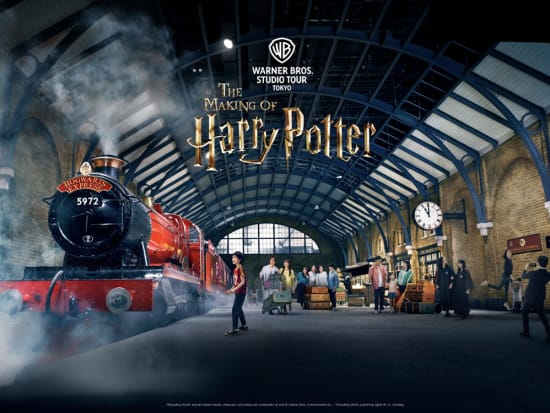

Editor's Picks for Tokyo




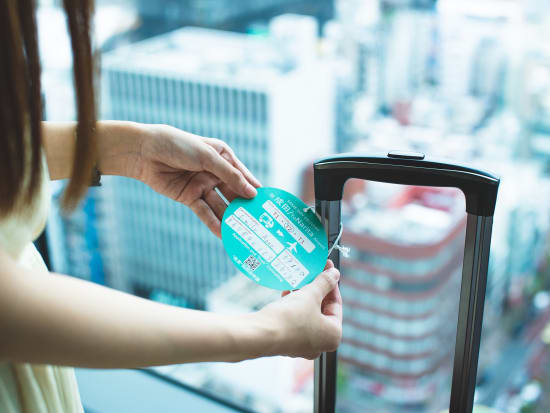

Narita Airport Transfers other tours and activities


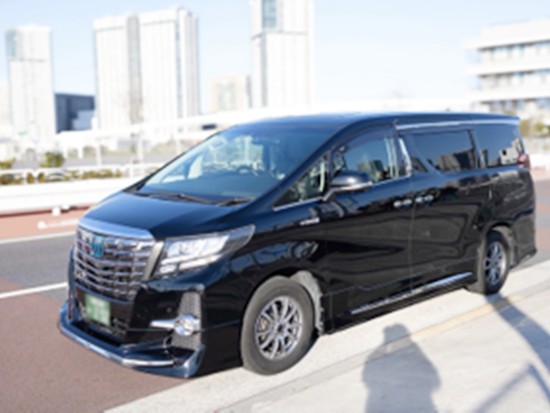
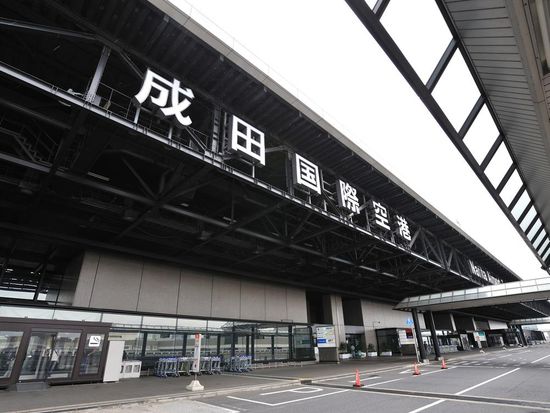
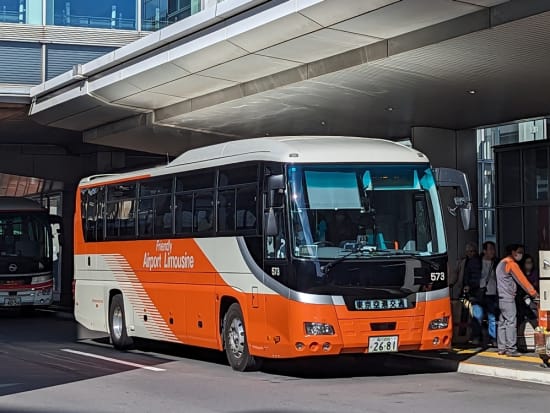

- Children aged 6 and under 12 who attend elementary school are eligible for child fares. Even if a child is 12 years old but still attends elementary school, they are still eligible for child fares. Preschoolers who are under the age of 6 and do not occupy a seat can travel for free. However, the child fare will be applied if a preschool child occupies a seat.
- This ticket is non-transferable and cannot be sold. Any attempt to resell this ticket will result in its invalidation.
- You can store up to 2 pieces of luggage per person in the trunk room.
- 【Boarding Procedure on the Day of Travel】
Before the scheduled boarding time of your reserved bus, present the QR code for boarding (E-ticket) to the bus stop staff or the bus driver and board the bus.
*Display on a smartphone or tablet is mandatory, and the QR boarding pass can also be used as a screenshot.
*Please note that participation is not possible using the voucher or QR code that can be confirmed from the Veltra My Page. - *If you are using a route with reserved seats, the QR boarding pass (E-ticket) will display the seat number. For routes without reserved seating, the seat column on the QR boarding pass (E-ticket) will be blank, so please sit in any available seat.
- *For security purposes, a one-time password may be displayed when showing the E-ticket.
If email authentication is requested, please specify an email address that you can access on your smartphone or other device, and enter the password received in the email. - If you use the service after the selected participation date at the time of booking, you will not be able to check the voucher from your Veltra My Page.
Before the participation date, please tap "Scan or Click to Use" on the voucher, save the displayed digital ticket URL, and present the digital ticket from the URL on the day of use. - QR code for boarding (E-ticket).
- 【Separate bus reservation required】
Before boarding, click the link provided with the voucher to reserve your preferred bus, and the QR code for boarding will be displayed.
*For usage instructions, please refer to the attached PDF "Customer Usage Guide".
*The period for accepting boarding reservations is updated regularly. If the desired date and time are not yet available for reservation, please check again closer to the desired date and time (approximately 1 month in advance). Customer Usage Guide.pdf
- This activity does not accept any changes to confirmed bookings.
- 【Validity Period】
Valid for 3 months from the date of purchase - You can use WiFi on board the bus.
- In the event of a cancellation or vehicle change for your reserved bus, the staff will assist with transferring to another service or seat.
- When canceling, please be sure to follow the cancellation procedure on the Veltra My Page.
- You can book a maximum of 9.
- Children aged 6 and under 12 who attend elementary school are eligible for child fares. Even if a child is 12 years old but still attends elementary school, they are still eligible for child fares. Preschoolers who are under the age of 6 and do not occupy a seat can travel for free. However, the child fare will be applied if a preschool child occupies a seat.
- This ticket is non-transferable and cannot be sold. Any attempt to resell this ticket will result in its invalidation.
- You can store up to 2 pieces of luggage per person in the trunk room.
- 【Boarding Procedure on the Day of Travel】
Before the scheduled boarding time of your reserved bus, present the QR code for boarding (E-ticket) to the bus stop staff or the bus driver and board the bus.
*Display on a smartphone or tablet is mandatory, and the QR boarding pass can also be used as a screenshot.
*Please note that participation is not possible using the voucher or QR code that can be confirmed from the Veltra My Page. - *If you are using a route with reserved seats, the QR boarding pass (E-ticket) will display the seat number. For routes without reserved seating, the seat column on the QR boarding pass (E-ticket) will be blank, so please sit in any available seat.
- *For security purposes, a one-time password may be displayed when showing the E-ticket.
If email authentication is requested, please specify an email address that you can access on your smartphone or other device, and enter the password received in the email. - If you use the service after the selected participation date at the time of booking, you will not be able to check the voucher from your Veltra My Page.
Before the participation date, please tap "Scan or Click to Use" on the voucher, save the displayed digital ticket URL, and present the digital ticket from the URL on the day of use. - QR code for boarding (E-ticket).
- 【Separate bus reservation required】
Before boarding, click the link provided with the voucher to reserve your preferred bus, and the QR code for boarding will be displayed.
*For usage instructions, please refer to the attached PDF "Customer Usage Guide".
*The period for accepting boarding reservations is updated regularly. If the desired date and time are not yet available for reservation, please check again closer to the desired date and time (approximately 1 month in advance). Customer Usage Guide.pdf
- This activity does not accept any changes to confirmed bookings.
- 【Validity Period】
Valid for 3 months from the date of purchase - You can use WiFi on board the bus.
- In the event of a cancellation or vehicle change for your reserved bus, the staff will assist with transferring to another service or seat.
- When canceling, please be sure to follow the cancellation procedure on the Veltra My Page.
- You can book a maximum of 9.
- Children aged 6 and under 12 who attend elementary school are eligible for child fares. Even if a child is 12 years old but still attends elementary school, they are still eligible for child fares. Preschoolers who are under the age of 6 and do not occupy a seat can travel for free. However, the child fare will be applied if a preschool child occupies a seat.
- This ticket is non-transferable and cannot be sold. Any attempt to resell this ticket will result in its invalidation.
- You can store up to 2 pieces of luggage per person in the trunk room.
- 【Boarding Procedure on the Day of Travel】
Before the scheduled boarding time of your reserved bus, present the QR code for boarding (E-ticket) to the bus stop staff or the bus driver and board the bus.
*Display on a smartphone or tablet is mandatory, and the QR boarding pass can also be used as a screenshot.
*Please note that participation is not possible using the voucher or QR code that can be confirmed from the Veltra My Page. - *If you are using a route with reserved seats, the QR boarding pass (E-ticket) will display the seat number. For routes without reserved seating, the seat column on the QR boarding pass (E-ticket) will be blank, so please sit in any available seat.
- *For security purposes, a one-time password may be displayed when showing the E-ticket.
If email authentication is requested, please specify an email address that you can access on your smartphone or other device, and enter the password received in the email. - If you use the service after the selected participation date at the time of booking, you will not be able to check the voucher from your Veltra My Page.
Before the participation date, please tap "Scan or Click to Use" on the voucher, save the displayed digital ticket URL, and present the digital ticket from the URL on the day of use. - QR code for boarding (E-ticket).
- 【Separate bus reservation required】
Before boarding, click the link provided with the voucher to reserve your preferred bus, and the QR code for boarding will be displayed.
*For usage instructions, please refer to the attached PDF "Customer Usage Guide".
*The period for accepting boarding reservations is updated regularly. If the desired date and time are not yet available for reservation, please check again closer to the desired date and time (approximately 1 month in advance). Customer Usage Guide.pdf
- This activity does not accept any changes to confirmed bookings.
- 【Validity Period】
Valid for 3 months from the date of purchase - You can use WiFi on board the bus.
- In the event of a cancellation or vehicle change for your reserved bus, the staff will assist with transferring to another service or seat.
- When canceling, please be sure to follow the cancellation procedure on the Veltra My Page.
- You can book a maximum of 9.
- Children aged 6 and under 12 who attend elementary school are eligible for child fares. Even if a child is 12 years old but still attends elementary school, they are still eligible for child fares. Preschoolers who are under the age of 6 and do not occupy a seat can travel for free. However, the child fare will be applied if a preschool child occupies a seat.
- This ticket is non-transferable and cannot be sold. Any attempt to resell this ticket will result in its invalidation.
- You can store up to 2 pieces of luggage per person in the trunk room.
- 【Boarding Procedure on the Day of Travel】
Before the scheduled boarding time of your reserved bus, present the QR code for boarding (E-ticket) to the bus stop staff or the bus driver and board the bus.
*Display on a smartphone or tablet is mandatory, and the QR boarding pass can also be used as a screenshot.
*Please note that participation is not possible using the voucher or QR code that can be confirmed from the Veltra My Page. - *If you are using a route with reserved seats, the QR boarding pass (E-ticket) will display the seat number. For routes without reserved seating, the seat column on the QR boarding pass (E-ticket) will be blank, so please sit in any available seat.
- *For security purposes, a one-time password may be displayed when showing the E-ticket.
If email authentication is requested, please specify an email address that you can access on your smartphone or other device, and enter the password received in the email. - If you use the service after the selected participation date at the time of booking, you will not be able to check the voucher from your Veltra My Page.
Before the participation date, please tap "Scan or Click to Use" on the voucher, save the displayed digital ticket URL, and present the digital ticket from the URL on the day of use. - QR code for boarding (E-ticket).
- 【Separate bus reservation required】
Before boarding, click the link provided with the voucher to reserve your preferred bus, and the QR code for boarding will be displayed.
*For usage instructions, please refer to the attached PDF "Customer Usage Guide".
*The period for accepting boarding reservations is updated regularly. If the desired date and time are not yet available for reservation, please check again closer to the desired date and time (approximately 1 month in advance). Customer Usage Guide.pdf
- This activity does not accept any changes to confirmed bookings.
- 【Validity Period】
Valid for 3 months from the date of purchase - You can use WiFi on board the bus.
- In the event of a cancellation or vehicle change for your reserved bus, the staff will assist with transferring to another service or seat.
- When canceling, please be sure to follow the cancellation procedure on the Veltra My Page.
- You can book a maximum of 9.
- Children aged 6 and under 12 who attend elementary school are eligible for child fares. Even if a child is 12 years old but still attends elementary school, they are still eligible for child fares. Preschoolers who are under the age of 6 and do not occupy a seat can travel for free. However, the child fare will be applied if a preschool child occupies a seat.
- This ticket is non-transferable and cannot be sold. Any attempt to resell this ticket will result in its invalidation.
- You can store up to 2 pieces of luggage per person in the trunk room.
- 【Boarding Procedure on the Day of Travel】
Before the scheduled boarding time of your reserved bus, present the QR code for boarding (E-ticket) to the bus stop staff or the bus driver and board the bus.
*Display on a smartphone or tablet is mandatory, and the QR boarding pass can also be used as a screenshot.
*Please note that participation is not possible using the voucher or QR code that can be confirmed from the Veltra My Page. - *If you are using a route with reserved seats, the QR boarding pass (E-ticket) will display the seat number. For routes without reserved seating, the seat column on the QR boarding pass (E-ticket) will be blank, so please sit in any available seat.
- *For security purposes, a one-time password may be displayed when showing the E-ticket.
If email authentication is requested, please specify an email address that you can access on your smartphone or other device, and enter the password received in the email. - If you use the service after the selected participation date at the time of booking, you will not be able to check the voucher from your Veltra My Page.
Before the participation date, please tap "Scan or Click to Use" on the voucher, save the displayed digital ticket URL, and present the digital ticket from the URL on the day of use. - QR code for boarding (E-ticket).
- 【Separate bus reservation required】
Before boarding, click the link provided with the voucher to reserve your preferred bus, and the QR code for boarding will be displayed.
*For usage instructions, please refer to the attached PDF "Customer Usage Guide".
*The period for accepting boarding reservations is updated regularly. If the desired date and time are not yet available for reservation, please check again closer to the desired date and time (approximately 1 month in advance). Customer Usage Guide.pdf
- This activity does not accept any changes to confirmed bookings.
- 【Validity Period】
Valid for 3 months from the date of purchase - You can use WiFi on board the bus.
- In the event of a cancellation or vehicle change for your reserved bus, the staff will assist with transferring to another service or seat.
- When canceling, please be sure to follow the cancellation procedure on the Veltra My Page.
- You can book a maximum of 9.
- Children aged 6 and under 12 who attend elementary school are eligible for child fares. Even if a child is 12 years old but still attends elementary school, they are still eligible for child fares. Preschoolers who are under the age of 6 and do not occupy a seat can travel for free. However, the child fare will be applied if a preschool child occupies a seat.
- This ticket is non-transferable and cannot be sold. Any attempt to resell this ticket will result in its invalidation.
- You can store up to 2 pieces of luggage per person in the trunk room.
- 【Boarding Procedure on the Day of Travel】
Before the scheduled boarding time of your reserved bus, present the QR code for boarding (E-ticket) to the bus stop staff or the bus driver and board the bus.
*Display on a smartphone or tablet is mandatory, and the QR boarding pass can also be used as a screenshot.
*Please note that participation is not possible using the voucher or QR code that can be confirmed from the Veltra My Page. - *If you are using a route with reserved seats, the QR boarding pass (E-ticket) will display the seat number. For routes without reserved seating, the seat column on the QR boarding pass (E-ticket) will be blank, so please sit in any available seat.
- *For security purposes, a one-time password may be displayed when showing the E-ticket.
If email authentication is requested, please specify an email address that you can access on your smartphone or other device, and enter the password received in the email. - If you use the service after the selected participation date at the time of booking, you will not be able to check the voucher from your Veltra My Page.
Before the participation date, please tap "Scan or Click to Use" on the voucher, save the displayed digital ticket URL, and present the digital ticket from the URL on the day of use. - QR code for boarding (E-ticket).
- 【Separate bus reservation required】
Before boarding, click the link provided with the voucher to reserve your preferred bus, and the QR code for boarding will be displayed.
*For usage instructions, please refer to the attached PDF "Customer Usage Guide".
*The period for accepting boarding reservations is updated regularly. If the desired date and time are not yet available for reservation, please check again closer to the desired date and time (approximately 1 month in advance). Customer Usage Guide.pdf
- This activity does not accept any changes to confirmed bookings.
- 【Validity Period】
Valid for 3 months from the date of purchase - You can use WiFi on board the bus.
- In the event of a cancellation or vehicle change for your reserved bus, the staff will assist with transferring to another service or seat.
- When canceling, please be sure to follow the cancellation procedure on the Veltra My Page.
- You can book a maximum of 9.
- Children aged 6 and under 12 who attend elementary school are eligible for child fares. Even if a child is 12 years old but still attends elementary school, they are still eligible for child fares. Preschoolers who are under the age of 6 and do not occupy a seat can travel for free. However, the child fare will be applied if a preschool child occupies a seat.
- This ticket is non-transferable and cannot be sold. Any attempt to resell this ticket will result in its invalidation.
- You can store up to 2 pieces of luggage per person in the trunk room.
- 【Boarding Procedure on the Day of Travel】
Before the scheduled boarding time of your reserved bus, present the QR code for boarding (E-ticket) to the bus stop staff or the bus driver and board the bus.
*Display on a smartphone or tablet is mandatory, and the QR boarding pass can also be used as a screenshot.
*Please note that participation is not possible using the voucher or QR code that can be confirmed from the Veltra My Page. - *If you are using a route with reserved seats, the QR boarding pass (E-ticket) will display the seat number. For routes without reserved seating, the seat column on the QR boarding pass (E-ticket) will be blank, so please sit in any available seat.
- *For security purposes, a one-time password may be displayed when showing the E-ticket.
If email authentication is requested, please specify an email address that you can access on your smartphone or other device, and enter the password received in the email. - If you use the service after the selected participation date at the time of booking, you will not be able to check the voucher from your Veltra My Page.
Before the participation date, please tap "Scan or Click to Use" on the voucher, save the displayed digital ticket URL, and present the digital ticket from the URL on the day of use. - QR code for boarding (E-ticket).
- 【Separate bus reservation required】
Before boarding, click the link provided with the voucher to reserve your preferred bus, and the QR code for boarding will be displayed.
*For usage instructions, please refer to the attached PDF "Customer Usage Guide".
*The period for accepting boarding reservations is updated regularly. If the desired date and time are not yet available for reservation, please check again closer to the desired date and time (approximately 1 month in advance). Customer Usage Guide.pdf
- This activity does not accept any changes to confirmed bookings.
- 【Validity Period】
Valid for 3 months from the date of purchase - You can use WiFi on board the bus.
- In the event of a cancellation or vehicle change for your reserved bus, the staff will assist with transferring to another service or seat.
- When canceling, please be sure to follow the cancellation procedure on the Veltra My Page.
- You can book a maximum of 9.
- Children aged 6 and under 12 who attend elementary school are eligible for child fares. Even if a child is 12 years old but still attends elementary school, they are still eligible for child fares. Preschoolers who are under the age of 6 and do not occupy a seat can travel for free. However, the child fare will be applied if a preschool child occupies a seat.
- This ticket is non-transferable and cannot be sold. Any attempt to resell this ticket will result in its invalidation.
- You can store up to 2 pieces of luggage per person in the trunk room.
- 【Boarding Procedure on the Day of Travel】
Before the scheduled boarding time of your reserved bus, present the QR code for boarding (E-ticket) to the bus stop staff or the bus driver and board the bus.
*Display on a smartphone or tablet is mandatory, and the QR boarding pass can also be used as a screenshot.
*Please note that participation is not possible using the voucher or QR code that can be confirmed from the Veltra My Page. - *If you are using a route with reserved seats, the QR boarding pass (E-ticket) will display the seat number. For routes without reserved seating, the seat column on the QR boarding pass (E-ticket) will be blank, so please sit in any available seat.
- *For security purposes, a one-time password may be displayed when showing the E-ticket.
If email authentication is requested, please specify an email address that you can access on your smartphone or other device, and enter the password received in the email. - If you use the service after the selected participation date at the time of booking, you will not be able to check the voucher from your Veltra My Page.
Before the participation date, please tap "Scan or Click to Use" on the voucher, save the displayed digital ticket URL, and present the digital ticket from the URL on the day of use. - QR code for boarding (E-ticket).
- 【Separate bus reservation required】
Before boarding, click the link provided with the voucher to reserve your preferred bus, and the QR code for boarding will be displayed.
*For usage instructions, please refer to the attached PDF "Customer Usage Guide".
*The period for accepting boarding reservations is updated regularly. If the desired date and time are not yet available for reservation, please check again closer to the desired date and time (approximately 1 month in advance). Customer Usage Guide.pdf
- This activity does not accept any changes to confirmed bookings.
- 【Validity Period】
Valid for 3 months from the date of purchase - You can use WiFi on board the bus.
- In the event of a cancellation or vehicle change for your reserved bus, the staff will assist with transferring to another service or seat.
- When canceling, please be sure to follow the cancellation procedure on the Veltra My Page.
- You can book a maximum of 9.
- Children aged 6 and under 12 who attend elementary school are eligible for child fares. Even if a child is 12 years old but still attends elementary school, they are still eligible for child fares. Preschoolers who are under the age of 6 and do not occupy a seat can travel for free. However, the child fare will be applied if a preschool child occupies a seat.
- This ticket is non-transferable and cannot be sold. Any attempt to resell this ticket will result in its invalidation.
- You can store up to 2 pieces of luggage per person in the trunk room.
- 【Boarding Procedure on the Day of Travel】
Before the scheduled boarding time of your reserved bus, present the QR code for boarding (E-ticket) to the bus stop staff or the bus driver and board the bus.
*Display on a smartphone or tablet is mandatory, and the QR boarding pass can also be used as a screenshot.
*Please note that participation is not possible using the voucher or QR code that can be confirmed from the Veltra My Page. - *If you are using a route with reserved seats, the QR boarding pass (E-ticket) will display the seat number. For routes without reserved seating, the seat column on the QR boarding pass (E-ticket) will be blank, so please sit in any available seat.
- *For security purposes, a one-time password may be displayed when showing the E-ticket.
If email authentication is requested, please specify an email address that you can access on your smartphone or other device, and enter the password received in the email. - If you use the service after the selected participation date at the time of booking, you will not be able to check the voucher from your Veltra My Page.
Before the participation date, please tap "Scan or Click to Use" on the voucher, save the displayed digital ticket URL, and present the digital ticket from the URL on the day of use. - QR code for boarding (E-ticket).
- 【Separate bus reservation required】
Before boarding, click the link provided with the voucher to reserve your preferred bus, and the QR code for boarding will be displayed.
*For usage instructions, please refer to the attached PDF "Customer Usage Guide".
*The period for accepting boarding reservations is updated regularly. If the desired date and time are not yet available for reservation, please check again closer to the desired date and time (approximately 1 month in advance). Customer Usage Guide.pdf
- This activity does not accept any changes to confirmed bookings.
- 【Validity Period】
Valid for 3 months from the date of purchase - You can use WiFi on board the bus.
- In the event of a cancellation or vehicle change for your reserved bus, the staff will assist with transferring to another service or seat.
- When canceling, please be sure to follow the cancellation procedure on the Veltra My Page.
- You can book a maximum of 9.
- Children aged 6 and under 12 who attend elementary school are eligible for child fares. Even if a child is 12 years old but still attends elementary school, they are still eligible for child fares. Preschoolers who are under the age of 6 and do not occupy a seat can travel for free. However, the child fare will be applied if a preschool child occupies a seat.
- This ticket is non-transferable and cannot be sold. Any attempt to resell this ticket will result in its invalidation.
- You can store up to 2 pieces of luggage per person in the trunk room.
- 【Boarding Procedure on the Day of Travel】
Before the scheduled boarding time of your reserved bus, present the QR code for boarding (E-ticket) to the bus stop staff or the bus driver and board the bus.
*Display on a smartphone or tablet is mandatory, and the QR boarding pass can also be used as a screenshot.
*Please note that participation is not possible using the voucher or QR code that can be confirmed from the Veltra My Page. - *If you are using a route with reserved seats, the QR boarding pass (E-ticket) will display the seat number. For routes without reserved seating, the seat column on the QR boarding pass (E-ticket) will be blank, so please sit in any available seat.
- *For security purposes, a one-time password may be displayed when showing the E-ticket.
If email authentication is requested, please specify an email address that you can access on your smartphone or other device, and enter the password received in the email. - If you use the service after the selected participation date at the time of booking, you will not be able to check the voucher from your Veltra My Page.
Before the participation date, please tap "Scan or Click to Use" on the voucher, save the displayed digital ticket URL, and present the digital ticket from the URL on the day of use. - QR code for boarding (E-ticket).
- 【Separate bus reservation required】
Before boarding, click the link provided with the voucher to reserve your preferred bus, and the QR code for boarding will be displayed.
*For usage instructions, please refer to the attached PDF "Customer Usage Guide".
*The period for accepting boarding reservations is updated regularly. If the desired date and time are not yet available for reservation, please check again closer to the desired date and time (approximately 1 month in advance). Customer Usage Guide.pdf
- This activity does not accept any changes to confirmed bookings.
- 【Validity Period】
Valid for 3 months from the date of purchase - You can use WiFi on board the bus.
- In the event of a cancellation or vehicle change for your reserved bus, the staff will assist with transferring to another service or seat.
- When canceling, please be sure to follow the cancellation procedure on the Veltra My Page.
- You can book a maximum of 9.
- Children aged 6 and under 12 who attend elementary school are eligible for child fares. Even if a child is 12 years old but still attends elementary school, they are still eligible for child fares. Preschoolers who are under the age of 6 and do not occupy a seat can travel for free. However, the child fare will be applied if a preschool child occupies a seat.
- This ticket is non-transferable and cannot be sold. Any attempt to resell this ticket will result in its invalidation.
- You can store up to 2 pieces of luggage per person in the trunk room.
- 【Boarding Procedure on the Day of Travel】
Before the scheduled boarding time of your reserved bus, present the QR code for boarding (E-ticket) to the bus stop staff or the bus driver and board the bus.
*Display on a smartphone or tablet is mandatory, and the QR boarding pass can also be used as a screenshot.
*Please note that participation is not possible using the voucher or QR code that can be confirmed from the Veltra My Page. - *If you are using a route with reserved seats, the QR boarding pass (E-ticket) will display the seat number. For routes without reserved seating, the seat column on the QR boarding pass (E-ticket) will be blank, so please sit in any available seat.
- *For security purposes, a one-time password may be displayed when showing the E-ticket.
If email authentication is requested, please specify an email address that you can access on your smartphone or other device, and enter the password received in the email. - If you use the service after the selected participation date at the time of booking, you will not be able to check the voucher from your Veltra My Page.
Before the participation date, please tap "Scan or Click to Use" on the voucher, save the displayed digital ticket URL, and present the digital ticket from the URL on the day of use. - QR code for boarding (E-ticket).
- 【Separate bus reservation required】
Before boarding, click the link provided with the voucher to reserve your preferred bus, and the QR code for boarding will be displayed.
*For usage instructions, please refer to the attached PDF "Customer Usage Guide".
*The period for accepting boarding reservations is updated regularly. If the desired date and time are not yet available for reservation, please check again closer to the desired date and time (approximately 1 month in advance). Customer Usage Guide.pdf
- This activity does not accept any changes to confirmed bookings.
- 【Validity Period】
Valid for 3 months from the date of purchase - You can use WiFi on board the bus.
- In the event of a cancellation or vehicle change for your reserved bus, the staff will assist with transferring to another service or seat.
- When canceling, please be sure to follow the cancellation procedure on the Veltra My Page.
- You can book a maximum of 9.
- Children aged 6 and under 12 who attend elementary school are eligible for child fares. Even if a child is 12 years old but still attends elementary school, they are still eligible for child fares. Preschoolers who are under the age of 6 and do not occupy a seat can travel for free. However, the child fare will be applied if a preschool child occupies a seat.
- This ticket is non-transferable and cannot be sold. Any attempt to resell this ticket will result in its invalidation.
- You can store up to 2 pieces of luggage per person in the trunk room.
- 【Boarding Procedure on the Day of Travel】
Before the scheduled boarding time of your reserved bus, present the QR code for boarding (E-ticket) to the bus stop staff or the bus driver and board the bus.
*Display on a smartphone or tablet is mandatory, and the QR boarding pass can also be used as a screenshot.
*Please note that participation is not possible using the voucher or QR code that can be confirmed from the Veltra My Page. - *If you are using a route with reserved seats, the QR boarding pass (E-ticket) will display the seat number. For routes without reserved seating, the seat column on the QR boarding pass (E-ticket) will be blank, so please sit in any available seat.
- *For security purposes, a one-time password may be displayed when showing the E-ticket.
If email authentication is requested, please specify an email address that you can access on your smartphone or other device, and enter the password received in the email. - If you use the service after the selected participation date at the time of booking, you will not be able to check the voucher from your Veltra My Page.
Before the participation date, please tap "Scan or Click to Use" on the voucher, save the displayed digital ticket URL, and present the digital ticket from the URL on the day of use. - QR code for boarding (E-ticket).
- 【Separate bus reservation required】
Before boarding, click the link provided with the voucher to reserve your preferred bus, and the QR code for boarding will be displayed.
*For usage instructions, please refer to the attached PDF "Customer Usage Guide".
*The period for accepting boarding reservations is updated regularly. If the desired date and time are not yet available for reservation, please check again closer to the desired date and time (approximately 1 month in advance). Customer Usage Guide.pdf
- This activity does not accept any changes to confirmed bookings.
- 【Validity Period】
Valid for 3 months from the date of purchase - You can use WiFi on board the bus.
- In the event of a cancellation or vehicle change for your reserved bus, the staff will assist with transferring to another service or seat.
- When canceling, please be sure to follow the cancellation procedure on the Veltra My Page.
- You can book a maximum of 9.
- Children aged 6 and under 12 who attend elementary school are eligible for child fares. Even if a child is 12 years old but still attends elementary school, they are still eligible for child fares. Preschoolers who are under the age of 6 and do not occupy a seat can travel for free. However, the child fare will be applied if a preschool child occupies a seat.
- This ticket is non-transferable and cannot be sold. Any attempt to resell this ticket will result in its invalidation.
- You can store up to 2 pieces of luggage per person in the trunk room.
- 【Boarding Procedure on the Day of Travel】
Before the scheduled boarding time of your reserved bus, present the QR code for boarding (E-ticket) to the bus stop staff or the bus driver and board the bus.
*Display on a smartphone or tablet is mandatory, and the QR boarding pass can also be used as a screenshot.
*Please note that participation is not possible using the voucher or QR code that can be confirmed from the Veltra My Page. - *If you are using a route with reserved seats, the QR boarding pass (E-ticket) will display the seat number. For routes without reserved seating, the seat column on the QR boarding pass (E-ticket) will be blank, so please sit in any available seat.
- *For security purposes, a one-time password may be displayed when showing the E-ticket.
If email authentication is requested, please specify an email address that you can access on your smartphone or other device, and enter the password received in the email. - If you use the service after the selected participation date at the time of booking, you will not be able to check the voucher from your Veltra My Page.
Before the participation date, please tap "Scan or Click to Use" on the voucher, save the displayed digital ticket URL, and present the digital ticket from the URL on the day of use. - QR code for boarding (E-ticket).
- 【Separate bus reservation required】
Before boarding, click the link provided with the voucher to reserve your preferred bus, and the QR code for boarding will be displayed.
*For usage instructions, please refer to the attached PDF "Customer Usage Guide".
*The period for accepting boarding reservations is updated regularly. If the desired date and time are not yet available for reservation, please check again closer to the desired date and time (approximately 1 month in advance). Customer Usage Guide.pdf
- This activity does not accept any changes to confirmed bookings.
- 【Validity Period】
Valid for 3 months from the date of purchase - You can use WiFi on board the bus.
- In the event of a cancellation or vehicle change for your reserved bus, the staff will assist with transferring to another service or seat.
- When canceling, please be sure to follow the cancellation procedure on the Veltra My Page.
- You can book a maximum of 9.
- Children aged 6 and under 12 who attend elementary school are eligible for child fares. Even if a child is 12 years old but still attends elementary school, they are still eligible for child fares. Preschoolers who are under the age of 6 and do not occupy a seat can travel for free. However, the child fare will be applied if a preschool child occupies a seat.
- This ticket is non-transferable and cannot be sold. Any attempt to resell this ticket will result in its invalidation.
- You can store up to 2 pieces of luggage per person in the trunk room.
- 【Boarding Procedure on the Day of Travel】
Before the scheduled boarding time of your reserved bus, present the QR code for boarding (E-ticket) to the bus stop staff or the bus driver and board the bus.
*Display on a smartphone or tablet is mandatory, and the QR boarding pass can also be used as a screenshot.
*Please note that participation is not possible using the voucher or QR code that can be confirmed from the Veltra My Page. - *If you are using a route with reserved seats, the QR boarding pass (E-ticket) will display the seat number. For routes without reserved seating, the seat column on the QR boarding pass (E-ticket) will be blank, so please sit in any available seat.
- *For security purposes, a one-time password may be displayed when showing the E-ticket.
If email authentication is requested, please specify an email address that you can access on your smartphone or other device, and enter the password received in the email. - If you use the service after the selected participation date at the time of booking, you will not be able to check the voucher from your Veltra My Page.
Before the participation date, please tap "Scan or Click to Use" on the voucher, save the displayed digital ticket URL, and present the digital ticket from the URL on the day of use. - QR code for boarding (E-ticket).
- 【Separate bus reservation required】
Before boarding, click the link provided with the voucher to reserve your preferred bus, and the QR code for boarding will be displayed.
*For usage instructions, please refer to the attached PDF "Customer Usage Guide".
*The period for accepting boarding reservations is updated regularly. If the desired date and time are not yet available for reservation, please check again closer to the desired date and time (approximately 1 month in advance). Customer Usage Guide.pdf
- This activity does not accept any changes to confirmed bookings.
- 【Validity Period】
Valid for 3 months from the date of purchase - You can use WiFi on board the bus.
- In the event of a cancellation or vehicle change for your reserved bus, the staff will assist with transferring to another service or seat.
- When canceling, please be sure to follow the cancellation procedure on the Veltra My Page.
- You can book a maximum of 9.
- Children aged 6 and under 12 who attend elementary school are eligible for child fares. Even if a child is 12 years old but still attends elementary school, they are still eligible for child fares. Preschoolers who are under the age of 6 and do not occupy a seat can travel for free. However, the child fare will be applied if a preschool child occupies a seat.
- This ticket is non-transferable and cannot be sold. Any attempt to resell this ticket will result in its invalidation.
- You can store up to 2 pieces of luggage per person in the trunk room.
- 【Boarding Procedure on the Day of Travel】
Before the scheduled boarding time of your reserved bus, present the QR code for boarding (E-ticket) to the bus stop staff or the bus driver and board the bus.
*Display on a smartphone or tablet is mandatory, and the QR boarding pass can also be used as a screenshot.
*Please note that participation is not possible using the voucher or QR code that can be confirmed from the Veltra My Page. - *If you are using a route with reserved seats, the QR boarding pass (E-ticket) will display the seat number. For routes without reserved seating, the seat column on the QR boarding pass (E-ticket) will be blank, so please sit in any available seat.
- *For security purposes, a one-time password may be displayed when showing the E-ticket.
If email authentication is requested, please specify an email address that you can access on your smartphone or other device, and enter the password received in the email. - If you use the service after the selected participation date at the time of booking, you will not be able to check the voucher from your Veltra My Page.
Before the participation date, please tap "Scan or Click to Use" on the voucher, save the displayed digital ticket URL, and present the digital ticket from the URL on the day of use. - QR code for boarding (E-ticket).
- 【Separate bus reservation required】
Before boarding, click the link provided with the voucher to reserve your preferred bus, and the QR code for boarding will be displayed.
*For usage instructions, please refer to the attached PDF "Customer Usage Guide".
*The period for accepting boarding reservations is updated regularly. If the desired date and time are not yet available for reservation, please check again closer to the desired date and time (approximately 1 month in advance). Customer Usage Guide.pdf
- This activity does not accept any changes to confirmed bookings.
- 【Validity Period】
Valid for 3 months from the date of purchase - You can use WiFi on board the bus.
- In the event of a cancellation or vehicle change for your reserved bus, the staff will assist with transferring to another service or seat.
- When canceling, please be sure to follow the cancellation procedure on the Veltra My Page.
- You can book a maximum of 9.
- Children aged 6 and under 12 who attend elementary school are eligible for child fares. Even if a child is 12 years old but still attends elementary school, they are still eligible for child fares. Preschoolers who are under the age of 6 and do not occupy a seat can travel for free. However, the child fare will be applied if a preschool child occupies a seat.
- This ticket is non-transferable and cannot be sold. Any attempt to resell this ticket will result in its invalidation.
- You can store up to 2 pieces of luggage per person in the trunk room.
- 【Boarding Procedure on the Day of Travel】
Before the scheduled boarding time of your reserved bus, present the QR code for boarding (E-ticket) to the bus stop staff or the bus driver and board the bus.
*Display on a smartphone or tablet is mandatory, and the QR boarding pass can also be used as a screenshot.
*Please note that participation is not possible using the voucher or QR code that can be confirmed from the Veltra My Page. - *If you are using a route with reserved seats, the QR boarding pass (E-ticket) will display the seat number. For routes without reserved seating, the seat column on the QR boarding pass (E-ticket) will be blank, so please sit in any available seat.
- *For security purposes, a one-time password may be displayed when showing the E-ticket.
If email authentication is requested, please specify an email address that you can access on your smartphone or other device, and enter the password received in the email. - If you use the service after the selected participation date at the time of booking, you will not be able to check the voucher from your Veltra My Page.
Before the participation date, please tap "Scan or Click to Use" on the voucher, save the displayed digital ticket URL, and present the digital ticket from the URL on the day of use. - QR code for boarding (E-ticket).
- 【Separate bus reservation required】
Before boarding, click the link provided with the voucher to reserve your preferred bus, and the QR code for boarding will be displayed.
*For usage instructions, please refer to the attached PDF "Customer Usage Guide".
*The period for accepting boarding reservations is updated regularly. If the desired date and time are not yet available for reservation, please check again closer to the desired date and time (approximately 1 month in advance). Customer Usage Guide.pdf
- This activity does not accept any changes to confirmed bookings.
- 【Validity Period】
Valid for 3 months from the date of purchase - You can use WiFi on board the bus.
- In the event of a cancellation or vehicle change for your reserved bus, the staff will assist with transferring to another service or seat.
- When canceling, please be sure to follow the cancellation procedure on the Veltra My Page.
- You can book a maximum of 9.
- Children aged 6 and under 12 who attend elementary school are eligible for child fares. Even if a child is 12 years old but still attends elementary school, they are still eligible for child fares. Preschoolers who are under the age of 6 and do not occupy a seat can travel for free. However, the child fare will be applied if a preschool child occupies a seat.
- This ticket is non-transferable and cannot be sold. Any attempt to resell this ticket will result in its invalidation.
- You can store up to 2 pieces of luggage per person in the trunk room.
- 【Boarding Procedure on the Day of Travel】
Before the scheduled boarding time of your reserved bus, present the QR code for boarding (E-ticket) to the bus stop staff or the bus driver and board the bus.
*Display on a smartphone or tablet is mandatory, and the QR boarding pass can also be used as a screenshot.
*Please note that participation is not possible using the voucher or QR code that can be confirmed from the Veltra My Page. - *If you are using a route with reserved seats, the QR boarding pass (E-ticket) will display the seat number. For routes without reserved seating, the seat column on the QR boarding pass (E-ticket) will be blank, so please sit in any available seat.
- *For security purposes, a one-time password may be displayed when showing the E-ticket.
If email authentication is requested, please specify an email address that you can access on your smartphone or other device, and enter the password received in the email. - If you use the service after the selected participation date at the time of booking, you will not be able to check the voucher from your Veltra My Page.
Before the participation date, please tap "Scan or Click to Use" on the voucher, save the displayed digital ticket URL, and present the digital ticket from the URL on the day of use. - QR code for boarding (E-ticket).
- 【Separate bus reservation required】
Before boarding, click the link provided with the voucher to reserve your preferred bus, and the QR code for boarding will be displayed.
*For usage instructions, please refer to the attached PDF "Customer Usage Guide".
*The period for accepting boarding reservations is updated regularly. If the desired date and time are not yet available for reservation, please check again closer to the desired date and time (approximately 1 month in advance). Customer Usage Guide.pdf
- This activity does not accept any changes to confirmed bookings.
- 【Validity Period】
Valid for 3 months from the date of purchase - You can use WiFi on board the bus.
- In the event of a cancellation or vehicle change for your reserved bus, the staff will assist with transferring to another service or seat.
- When canceling, please be sure to follow the cancellation procedure on the Veltra My Page.
- You can book a maximum of 9.
- Children aged 6 and under 12 who attend elementary school are eligible for child fares. Even if a child is 12 years old but still attends elementary school, they are still eligible for child fares. Preschoolers who are under the age of 6 and do not occupy a seat can travel for free. However, the child fare will be applied if a preschool child occupies a seat.
- This ticket is non-transferable and cannot be sold. Any attempt to resell this ticket will result in its invalidation.
- You can store up to 2 pieces of luggage per person in the trunk room.
- 【Boarding Procedure on the Day of Travel】
Before the scheduled boarding time of your reserved bus, present the QR code for boarding (E-ticket) to the bus stop staff or the bus driver and board the bus.
*Display on a smartphone or tablet is mandatory, and the QR boarding pass can also be used as a screenshot.
*Please note that participation is not possible using the voucher or QR code that can be confirmed from the Veltra My Page. - *If you are using a route with reserved seats, the QR boarding pass (E-ticket) will display the seat number. For routes without reserved seating, the seat column on the QR boarding pass (E-ticket) will be blank, so please sit in any available seat.
- *For security purposes, a one-time password may be displayed when showing the E-ticket.
If email authentication is requested, please specify an email address that you can access on your smartphone or other device, and enter the password received in the email. - If you use the service after the selected participation date at the time of booking, you will not be able to check the voucher from your Veltra My Page.
Before the participation date, please tap "Scan or Click to Use" on the voucher, save the displayed digital ticket URL, and present the digital ticket from the URL on the day of use. - QR code for boarding (E-ticket).
- 【Separate bus reservation required】
Before boarding, click the link provided with the voucher to reserve your preferred bus, and the QR code for boarding will be displayed.
*For usage instructions, please refer to the attached PDF "Customer Usage Guide".
*The period for accepting boarding reservations is updated regularly. If the desired date and time are not yet available for reservation, please check again closer to the desired date and time (approximately 1 month in advance). Customer Usage Guide.pdf
- This activity does not accept any changes to confirmed bookings.
- 【Validity Period】
Valid for 3 months from the date of purchase - You can use WiFi on board the bus.
- In the event of a cancellation or vehicle change for your reserved bus, the staff will assist with transferring to another service or seat.
- When canceling, please be sure to follow the cancellation procedure on the Veltra My Page.
- You can book a maximum of 9.
- Children aged 6 and under 12 who attend elementary school are eligible for child fares. Even if a child is 12 years old but still attends elementary school, they are still eligible for child fares. Preschoolers who are under the age of 6 and do not occupy a seat can travel for free. However, the child fare will be applied if a preschool child occupies a seat.
- This ticket is non-transferable and cannot be sold. Any attempt to resell this ticket will result in its invalidation.
- You can store up to 2 pieces of luggage per person in the trunk room.
- 【Boarding Procedure on the Day of Travel】
Before the scheduled boarding time of your reserved bus, present the QR code for boarding (E-ticket) to the bus stop staff or the bus driver and board the bus.
*Display on a smartphone or tablet is mandatory, and the QR boarding pass can also be used as a screenshot.
*Please note that participation is not possible using the voucher or QR code that can be confirmed from the Veltra My Page. - *If you are using a route with reserved seats, the QR boarding pass (E-ticket) will display the seat number. For routes without reserved seating, the seat column on the QR boarding pass (E-ticket) will be blank, so please sit in any available seat.
- *For security purposes, a one-time password may be displayed when showing the E-ticket.
If email authentication is requested, please specify an email address that you can access on your smartphone or other device, and enter the password received in the email. - If you use the service after the selected participation date at the time of booking, you will not be able to check the voucher from your Veltra My Page.
Before the participation date, please tap "Scan or Click to Use" on the voucher, save the displayed digital ticket URL, and present the digital ticket from the URL on the day of use. - QR code for boarding (E-ticket).
- 【Separate bus reservation required】
Before boarding, click the link provided with the voucher to reserve your preferred bus, and the QR code for boarding will be displayed.
*For usage instructions, please refer to the attached PDF "Customer Usage Guide".
*The period for accepting boarding reservations is updated regularly. If the desired date and time are not yet available for reservation, please check again closer to the desired date and time (approximately 1 month in advance). Customer Usage Guide.pdf
- This activity does not accept any changes to confirmed bookings.
- 【Validity Period】
Valid for 3 months from the date of purchase - You can use WiFi on board the bus.
- In the event of a cancellation or vehicle change for your reserved bus, the staff will assist with transferring to another service or seat.
- When canceling, please be sure to follow the cancellation procedure on the Veltra My Page.
- You can book a maximum of 9.
-
STEP 1Book one (1) select tour or activity
![]()
-
STEP 2Receive a coupon upon confirmation
![]()
- STEP 3Book another activity, and use the coupon for a discount!

Coupon Participation Period:
- Valid for one (1) booking per account during the designated promotional period.
- Cannot be used on the same activity on the same date and time as the first activity, or applied to activities that have already been booked.